quick start
Overview
When you install the EnhancedErrorChecker package, the following screen parts will be added to Next Design, and automatic error checking will be performed based on the settings.
- [Home] > [Model] > [Automatic error checking] button is added to the ribbon.
- When you press the button, the [Automatic error check] dialog will be displayed.
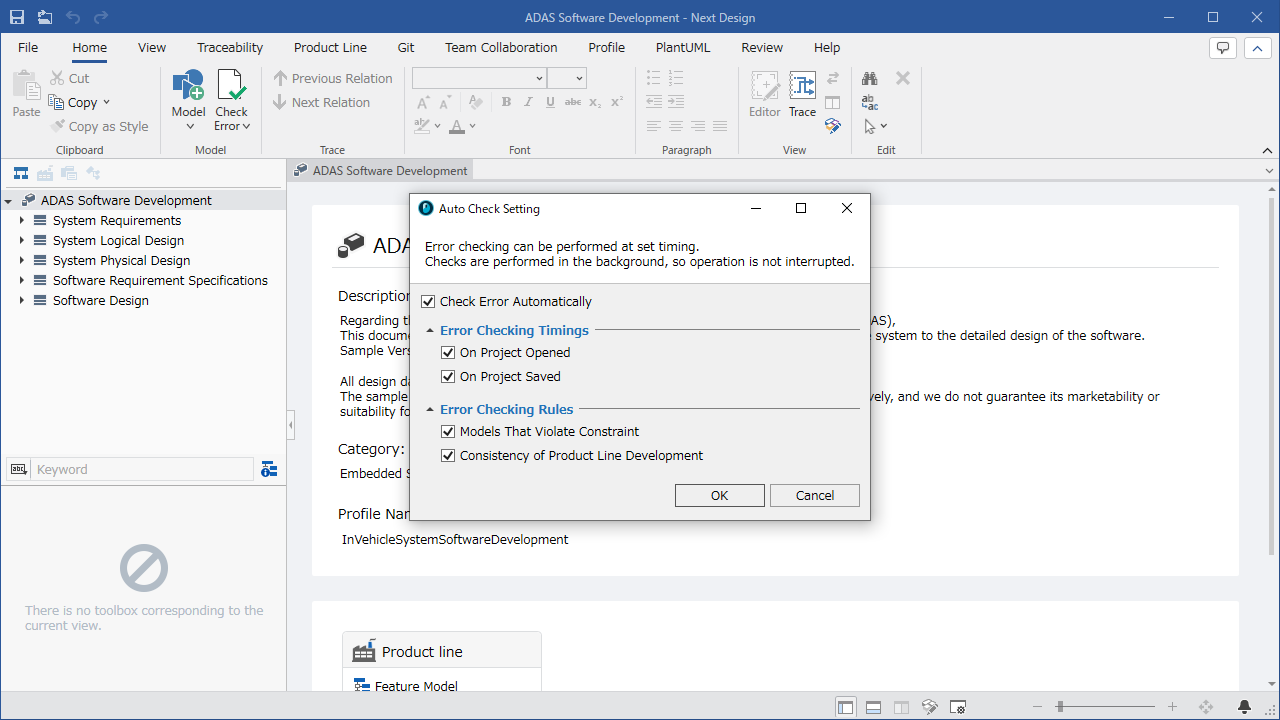
The following explains how to use the EnhancedErrorChecker package to start automatic error checking in the following order.
- Install the EnhancedErrorChecker package
- Set the timing and check targets for automatic error checking
Install the EnhancedErrorChecker package
To prepare for using the EnhancedErrorChecker package, install the EnhancedErrorChecker package using the following steps.
Operating instructions
-
Install the [EnhancedErrorChecker] package from [DENSO CREATE OFFICIAL] according to the following manual:
- [Next Design User's Manual > Extending and Updating Next Design > Extending Next Design > Installing Official Extensions > Installing Extensions](../../docs/enhancements/install -official-extension-packages.md#install-official-packages)
-
After installation, restart Next Design and the EnhancedErrorChecker package will be available.
Set the timing and check targets for automatic error checking
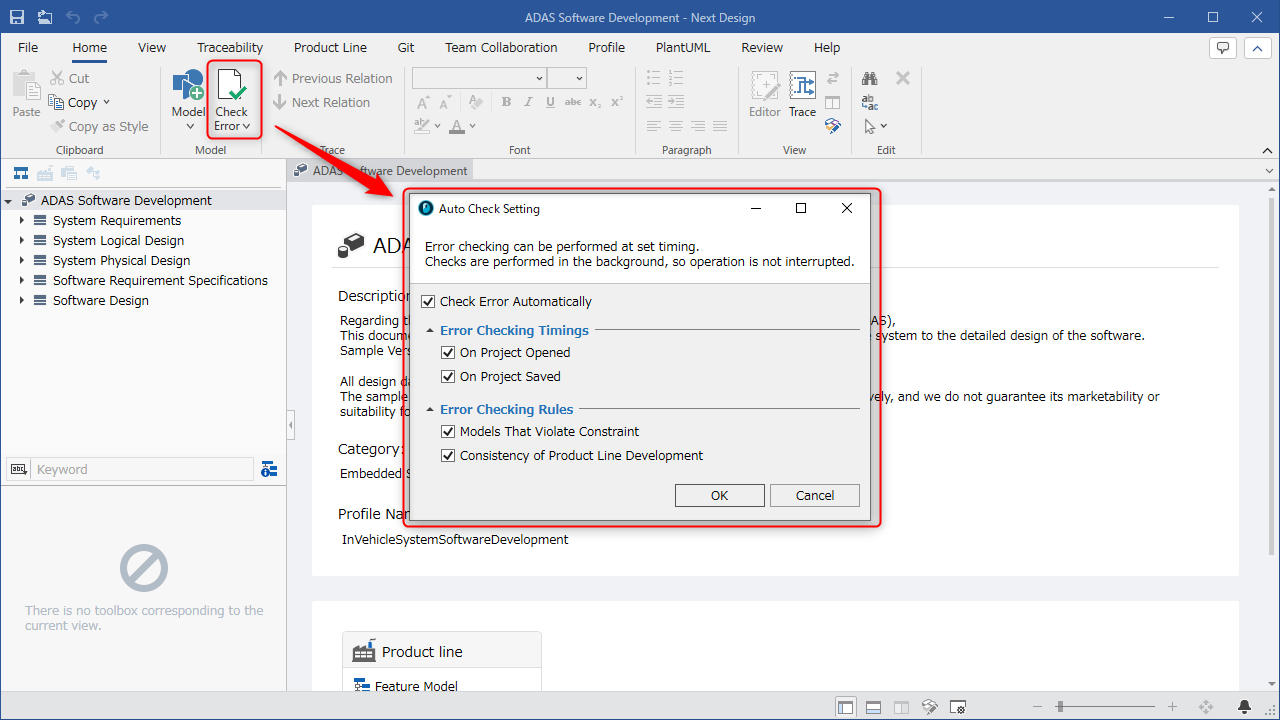
Operating instructions
- Click the [Home] > [Model] > [Automatic Error Check] button on the ribbon.
- Check the [Automatically check errors] check box in the [Automatically check errors] dialog box.
- Set the check timing and check targets.
- Click the [OK] button in the [Automatic error checking] dialog.
- Automatically perform error checking: Set whether to perform automatic error checking.
- Check timing
- When opening a project: Set whether to validate when opening a project. (This timing also includes reloading the project)
- When project is saved: Set whether to validate when saving the project.
- Check target
- Model constraint violation: Set whether to target constraints on the model.
- Product line development consistency: Set whether to target product line development consistency.
- Check timing