ProcessFlowDiagram Package
Overview
- This package contains sample process definition documents and templates for describing process flow diagrams (PFDs) and the structure of deliverables.
- All design data included in this sample is fictitious.
- This sample is intended as a reference for customers to effectively utilize this product, and we make no warranties whatsoever, including warranties of merchantability and fitness for a particular purpose.
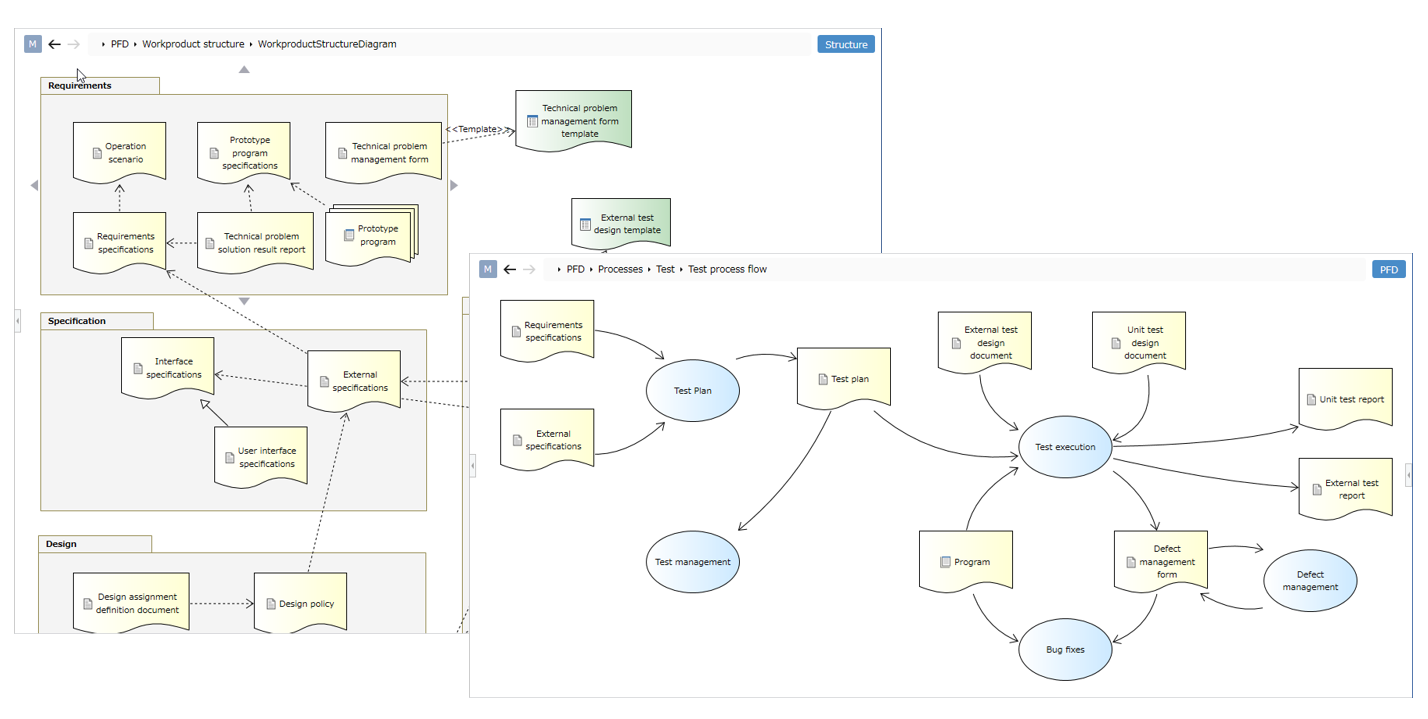
Package Contents
| File Name | Category | Description |
|---|---|---|
| PFD.nproj | Sample Project | A sample defining an example of a process definition. |
| PFD.nprot | Template | A template that allows you to easily start writing process definitions, especially PFDs. |
| PFD.nprof | Profile | A profile for process definitions. It can also be imported into any project. |
List of Descriptive Diagrams
- This shows the diagrams that can be described with this package.
| Picture | Description |
|---|---|
| Process Flow Diagram | You can describe a PFD. You can define deliverables defined in the deliverable structure diagram as process inputs and outputs. |
| Requirement Model | You can define requirements for a process. |
| Deliverable Structure Diagram | You can define deliverables. You can visualize deliverables for each process and their relationships. |
| Deliverable Class Diagram | You can define the structure of deliverables. You can define what should be described in a deliverable as classes and attributes. |
| Organizational Chart | You can define relationships between roles as part of the role definition. |
Overview of Descriptible Models
- You can organize any structure by adding packages in the Model Navigator.
- You can add various diagrams, processes, and deliverables under a package and describe the process definition.
- Added elements are placed under packages and diagrams.
- You can also define roles, guidelines, and deliverable templates for executing the process.
Process Flow
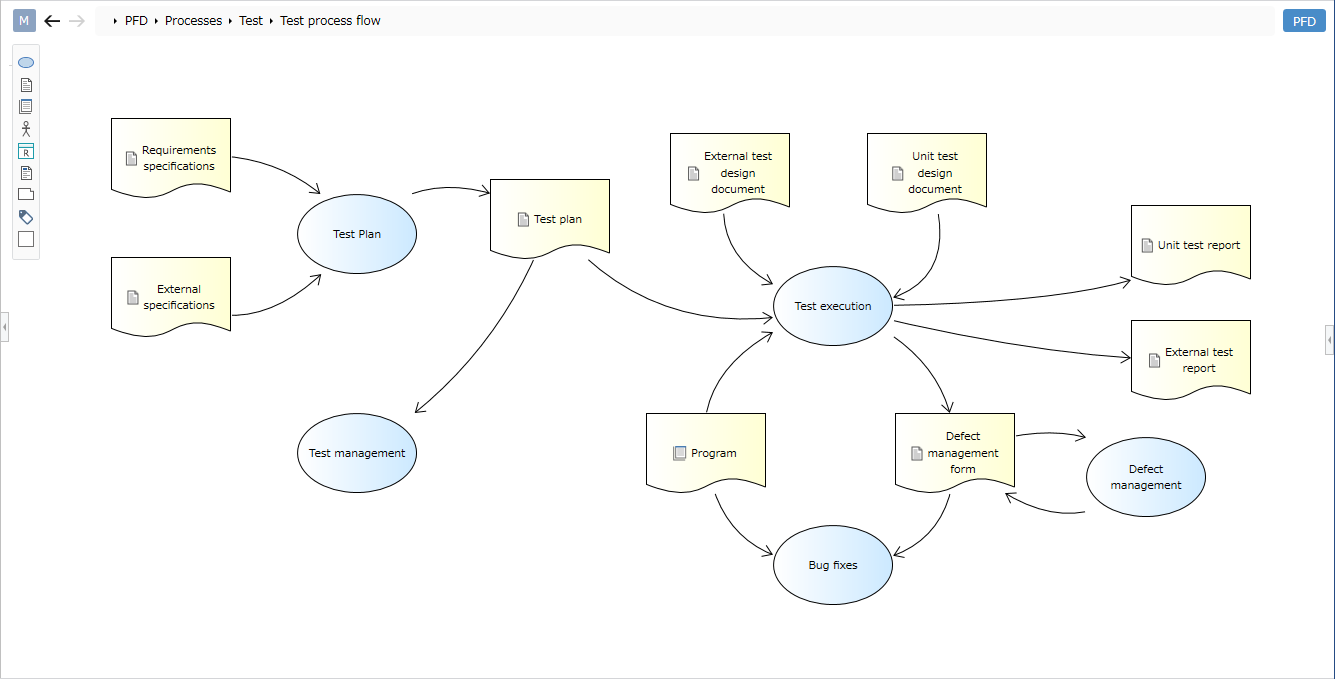
Overview
- Process flows allow you to define processes and their input/output deliverables in a diagram.
- You can define processes, deliverables, multiple deliverables, roles, requirements, and guidelines.
-
You can define the main responsibilities and stakeholders for executing the process by dragging and dropping roles from the Model Navigator onto the diagram.
-
You can define guidelines that deliverables and processes refer to by dragging and dropping guidelines from the Model Navigator onto the diagram.
Limitations
-
Numbers for processes and deliverables are not visible in the diagram. Please check the detailed view in the sub-editor.
-
Hierarchical processes (double circles) cannot be represented.
-
You cannot change the shape (symbol) according to the type of deliverable.
-
Triggers cannot be described.
Requirements Model
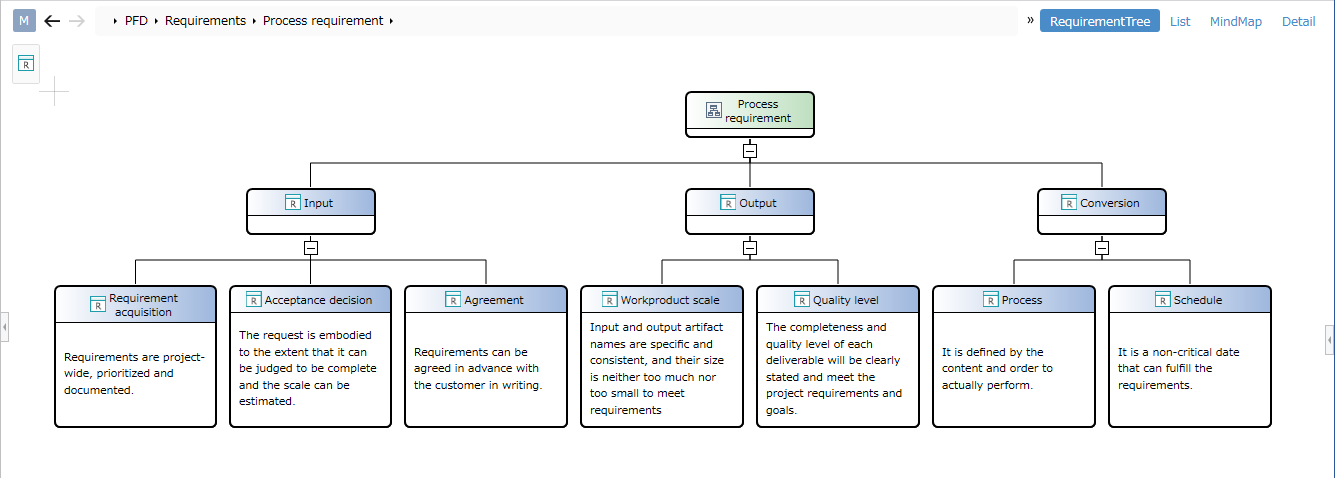
Overview
- You can describe requirements for processes and deliverables.
- Requirements can be subdivided and described in a hierarchical structure.
- Requirements defined in the requirements model can be placed in process flow diagrams and deliverable structure diagrams.
- By defining the relationship between requirements and processes/deliverables, you can define tracing between requirements and processes.
Deliverable Structure
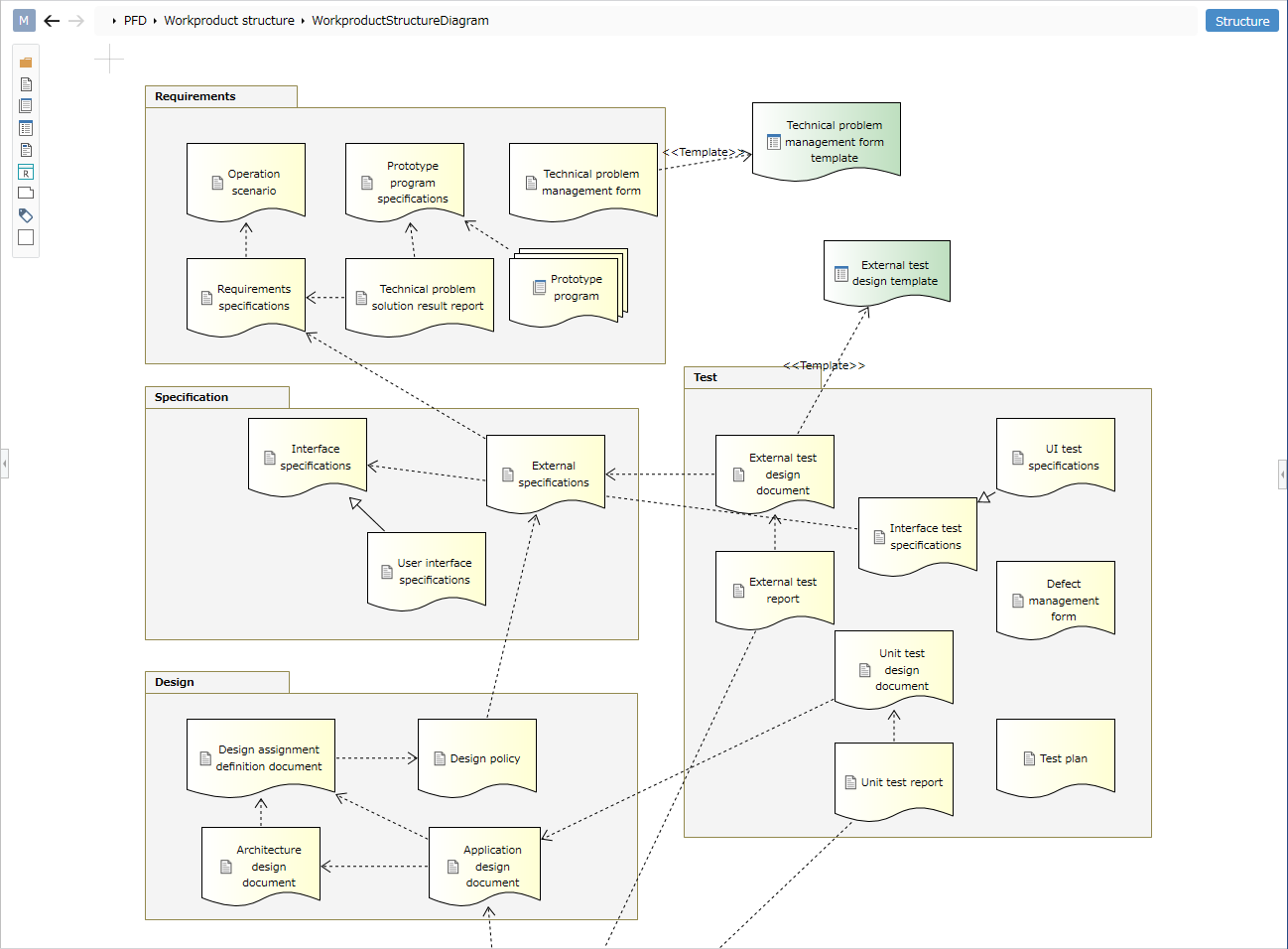
Overview
- You can define deliverables for each process. You can also define dependencies between deliverables.
- You can define folders, deliverables, multiple deliverables, templates, guidelines, and requirements.
-
You can define the relationship between deliverables and templates by dragging and dropping template models from the Model Navigator onto the diagram.
-
You can define the relationship between deliverables and requirements by dragging and dropping requirements models from the Model Navigator onto the diagram.
Deliverable Class
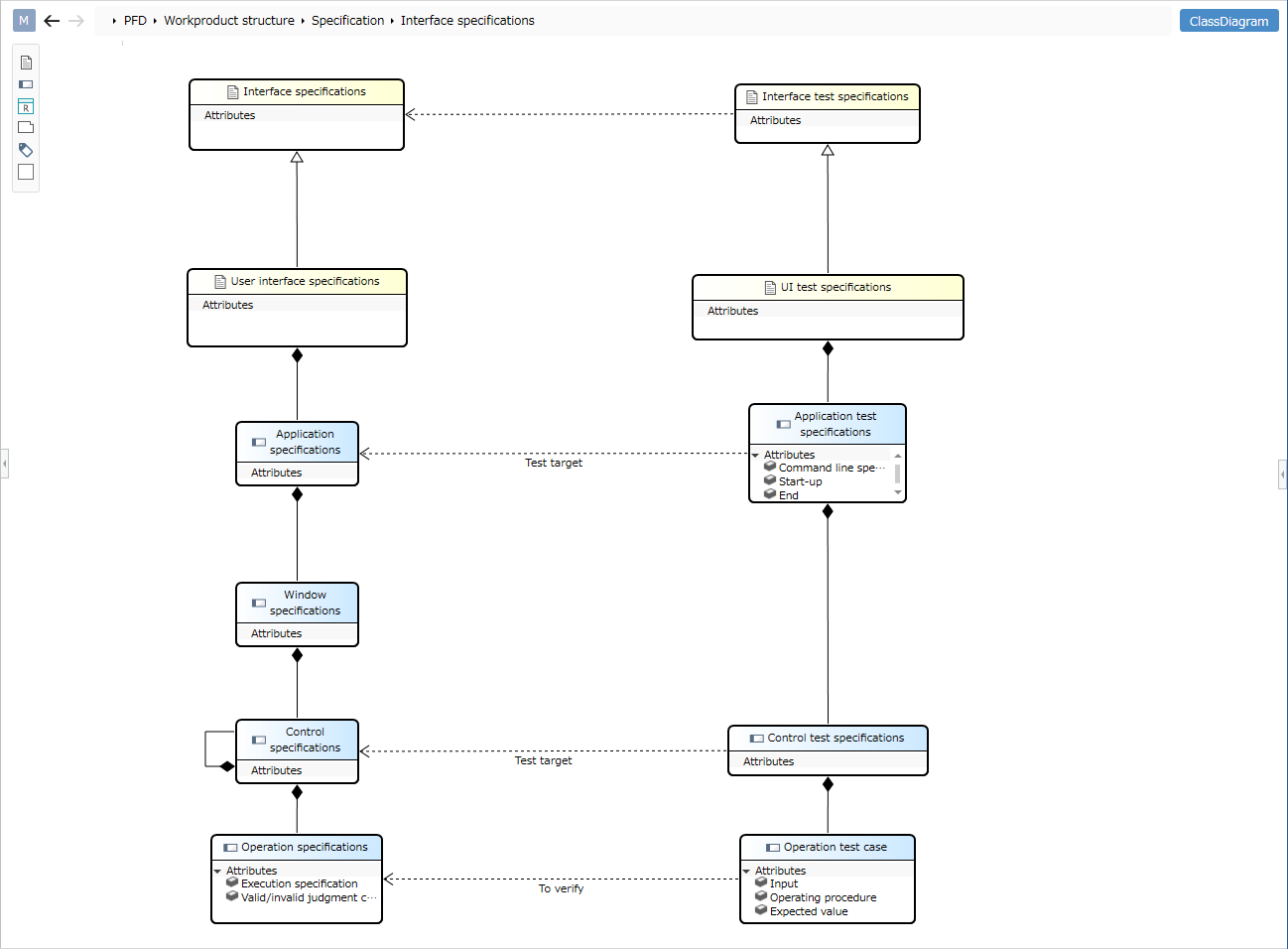
Overview
- You can define the structure of deliverables defined in the deliverable system. You can define what should be described in the deliverable using classes and attributes.
-
You can define deliverables, content, and requirements.
-
You can define relationships (derivation, ownership, inheritance, association) between deliverables and their content.
-
You can define what should be written in deliverables and content using attributes.
- You can also define the relationships between deliverables/content and requirements by dragging and dropping requirement models from the Model Navigator into the diagram.
Limitations
-
Because this is a simplified diagram that reuses the notation of UML class diagrams, it does not support strict notation based on UML standards.
-
Basic class attributes such as stereotypes and abstract types cannot be defined.
-
The relationships that can be defined between classes are also limited.
Common Definitions
Role Definition and Organization Chart
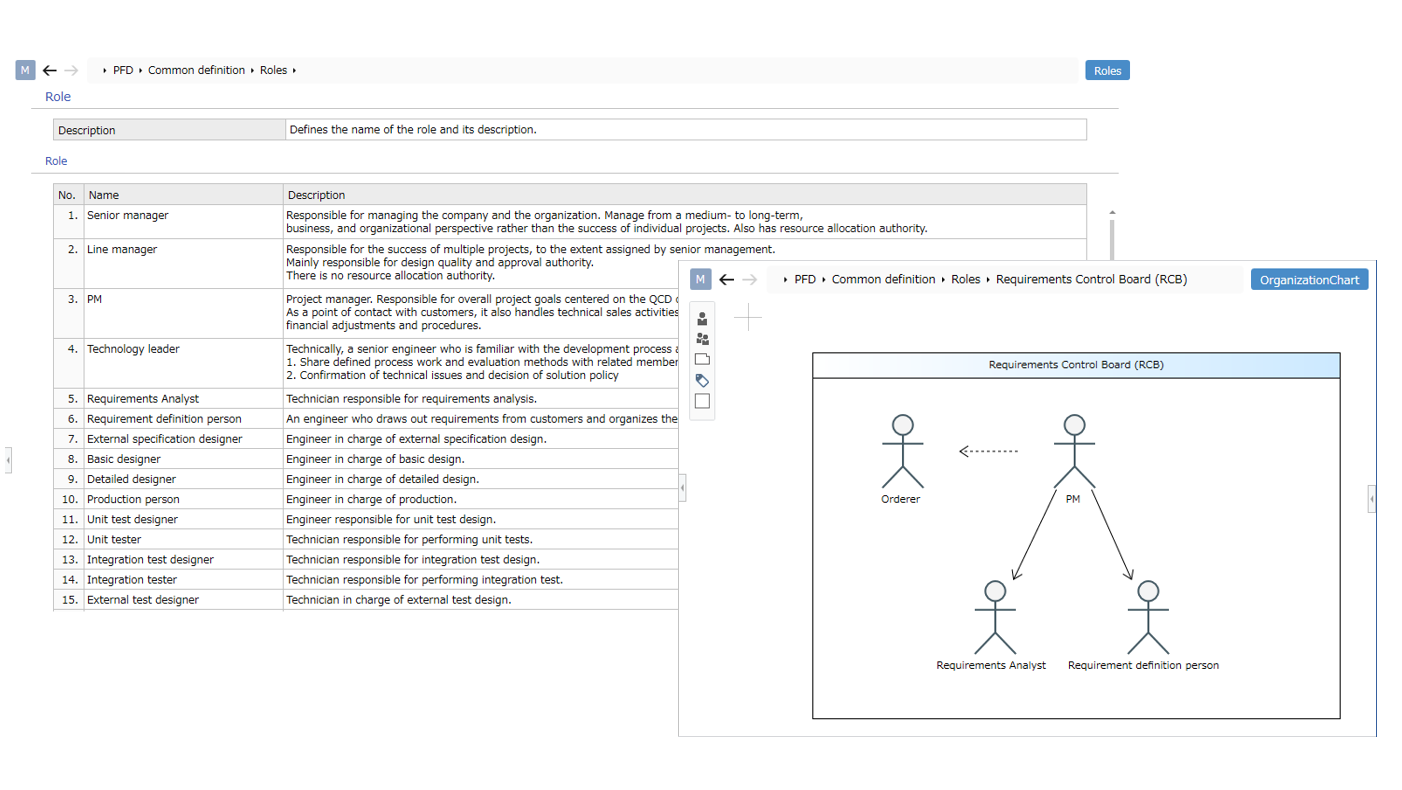
Overview
- You can define roles and their responsibilities.
- You can define relationships between teams (organizations) and roles as an organizational chart.
- You can define members (roles) and teams (organizations).
- You can define relationships (dependencies, inheritances) between members.
Guideline List
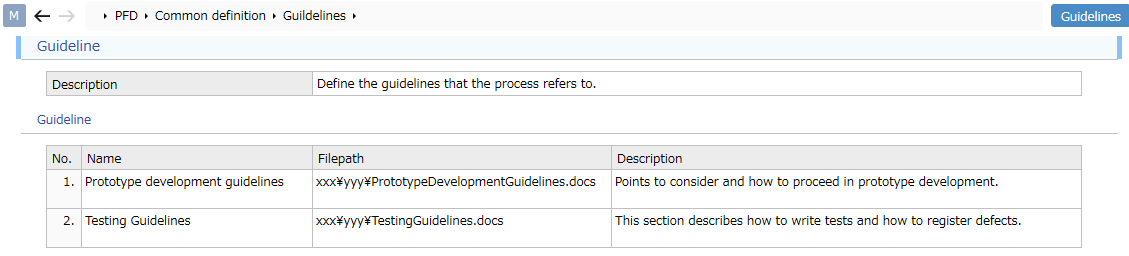
Overview
- You can define guidelines that deliverables and processes refer to.
- Guidelines defined in the guideline list can also be placed in process flow diagrams and deliverable system diagrams.
- By defining relationships with processes and deliverables, you can illustrate which guidelines each should refer to.
Template List
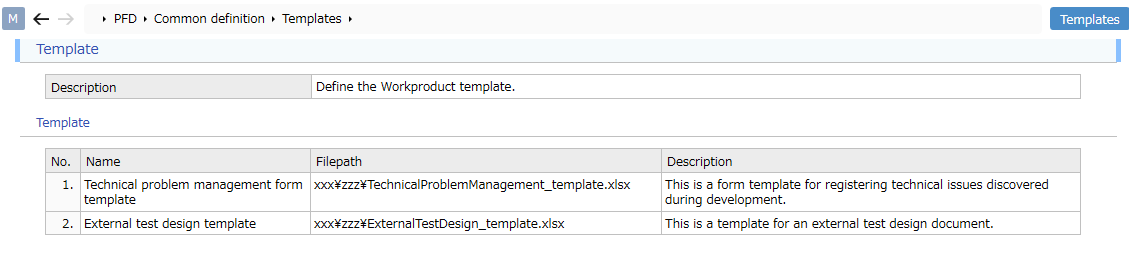
Overview
-
You can define templates for deliverables.
-
Templates defined in the template list can also be placed in the deliverable system diagram.
- By defining the relationship with deliverables, you can illustrate which template should be used.
Code List
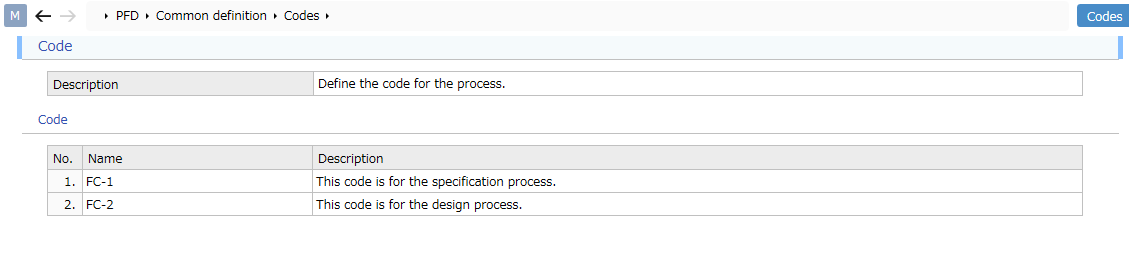
Overview
-
You can define codes for processes.
-
Define and use arbitrary identification codes, such as for processes.