Modeling Guide
Overview
This page explains the operations for creating a flowchart in the following order:
- Placing the flowchart model
- Creating the flowchart
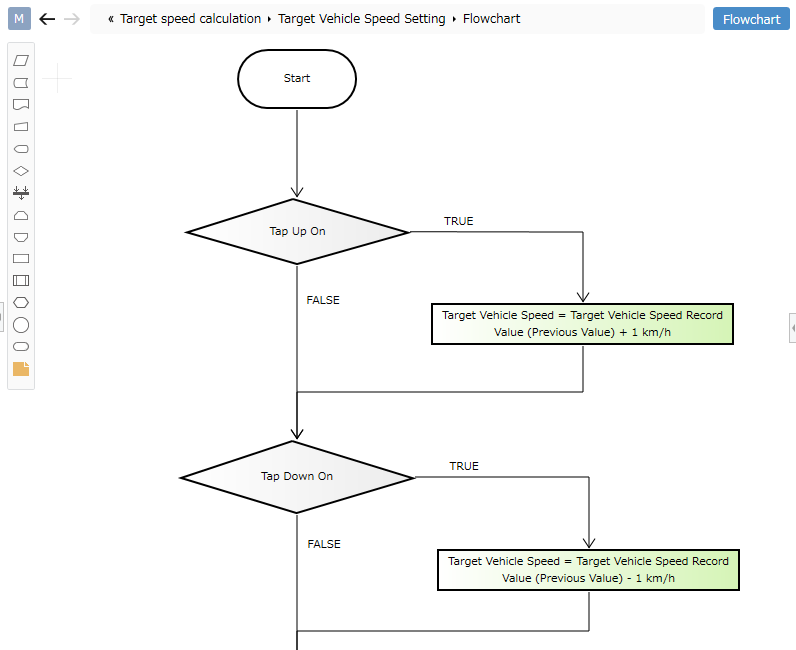
Placing the flowchart model
To create a flowchart, you must first place the flowchart model.
To place the flowchart model, follow these steps:
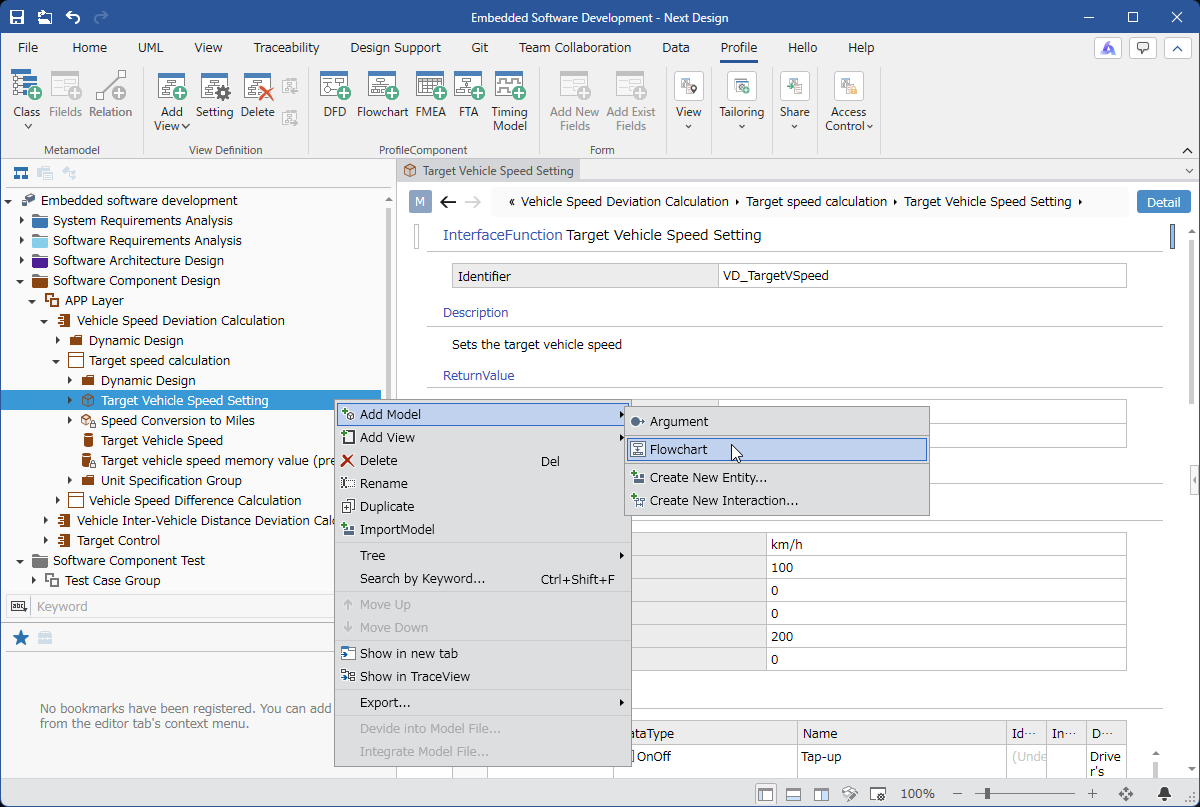
Operation Procedure
- In the [Model Navigator], select the model on which you want to place the flowchart model, and click [Add Model] > [Flow Chart] in the context menu.
- [Flow Chart] will be placed as a child element of the selected model.
Creating a Flowchart
A flowchart can be created by adding elements to the flowchart and drawing connecting lines between them.
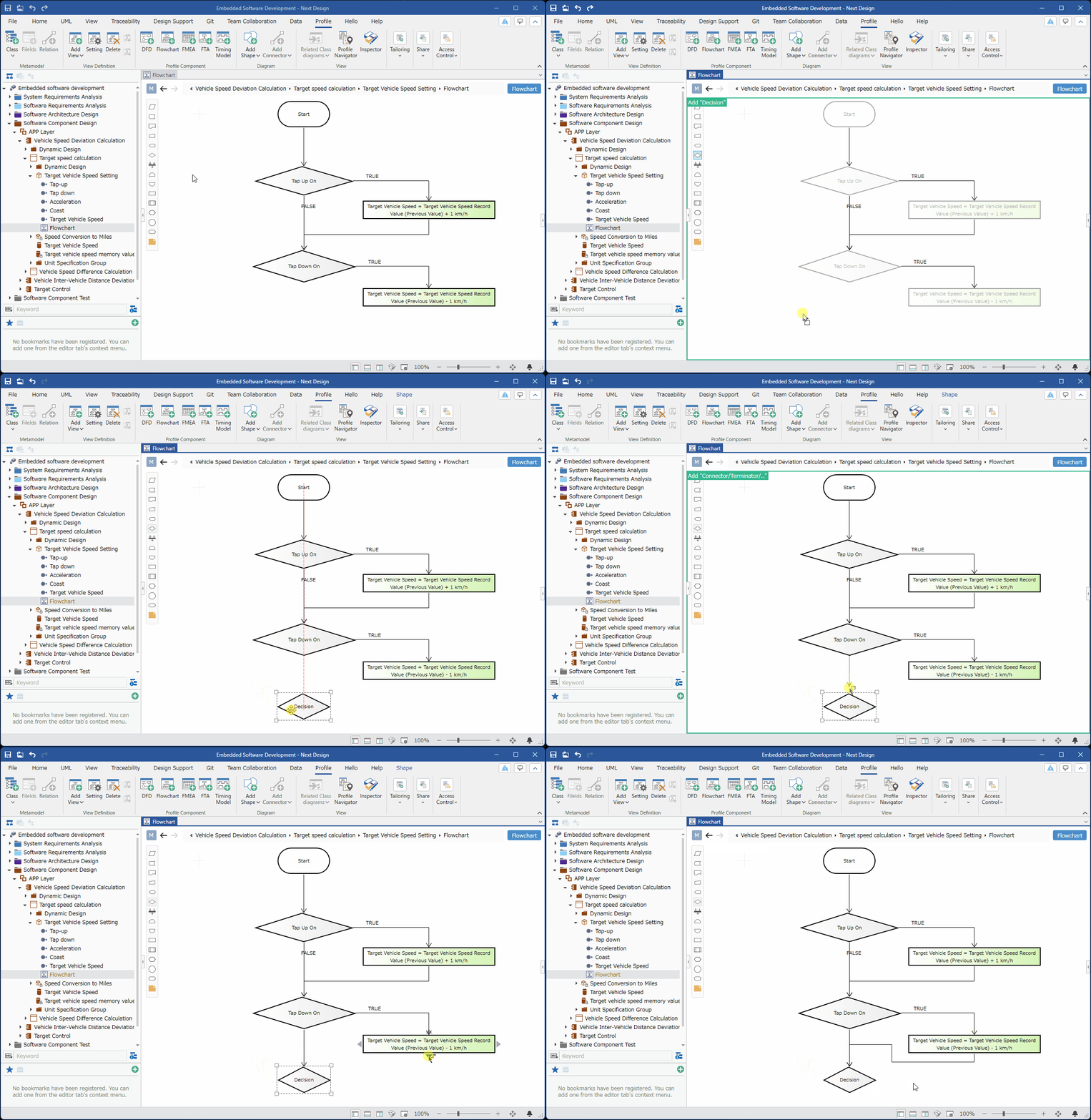
Instructions
-
Select the flowchart model in the [Model Navigator] and display the [Flow Chart] view.
-
Add elements to the flowchart and draw connecting lines between them using one of the following methods:
-
Drag and drop elements to be placed in the flowchart from the [Model Navigator]
-
Drag and drop elements to be placed in the flowchart from the [Tool Box]