Modeling Guide
Overview
The following steps describe how to write specifications in USDM format:
- Add a Requirements Group
- Add a Requirements
- Add a Specification
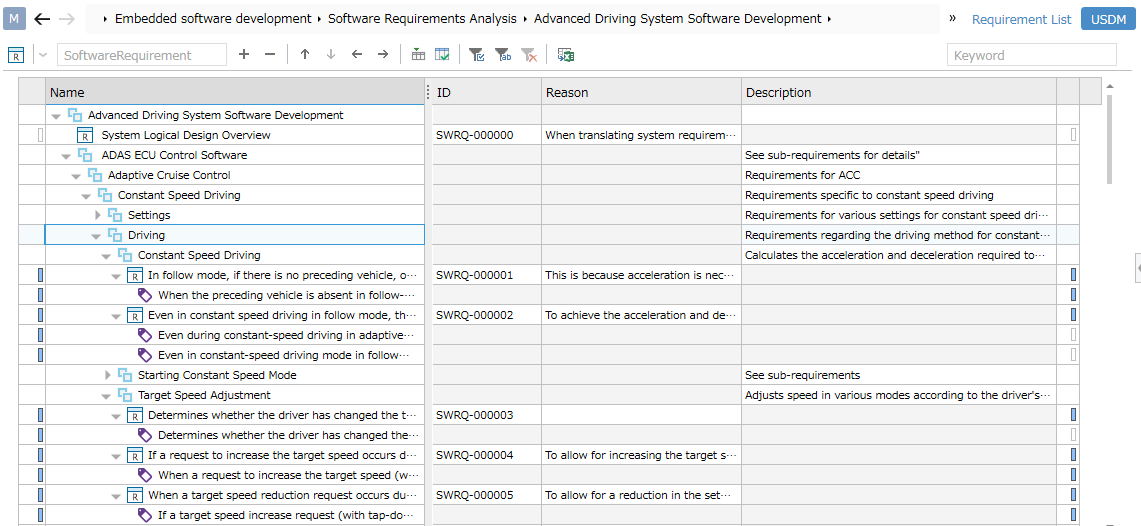
The following procedure applies when requirements and requirements groups are defined as separate classes.
If there is no class for requirements groups, please replace "requirements" with "requirements".
Adding Requirements Groups
First, add a requirements group.
If you want to refine and hierarchize requirements step by step, add more requirements groups under the requirements group.
-
Select a package in the [Model Navigator] and click the requirements group from [Add Model] in the context menu.
-
The requirements group model will be added to the selected package.
Adding a Request
Next, add a request.
-
In the tree grid, select the request group to which you want to add the request.
-
Select the request from the drop-down list in the toolbar at the top of the tree grid.
-
Enter the name of the request in the text box in the toolbar at the top of the tree grid and press Enter. It will be added to the end of the request group's children.
Adding a Specification
Finally, add a specification.
If you want to refine and hierarchize the specification step by step, add a specification group below the request.
-
In the tree grid, select the request to which you want to add the specification.
-
Select the specification from the drop-down list in the toolbar at the top of the tree grid.
-
Enter the name of the specification in the text box in the toolbar at the top of the tree grid and press Enter. It will be added to the end of the request's children.