Git Navigator
Overview
- The Git Navigator allows you to perform the following functions and view information:

| Component | Name | Description |
|---|---|---|
 | Branch Button | Displays the name of the current branch. [Switch to Branch Selection Finder] Displays a popup, allowing you to create a branch or switch to an existing selected branch. |
 | Menu Button | Displays the context menu. |
 | Sync Button | Displays the number of commits not pulled and the number of commits not pushed. Perform sync (pull and push). |
 | Publish Branch Button | Performs publish branch. (Displayed when branch has been created.) |
 | Commit Message Text Box | Enter a commit message. |
 | Commit Button | Commits changes. |
 | Sync Changes Button | Performs sync (pull and push). (Displayed when there is a conflict.) |
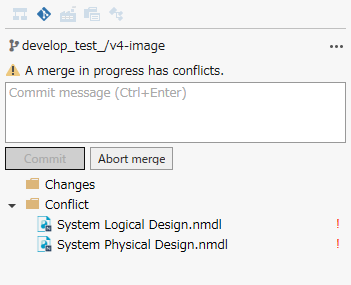
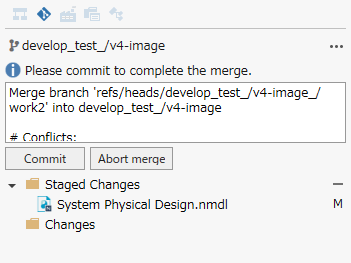
 | Cancel Merge Button | Cancels the merge. (This is displayed when there is a conflict (#state-of-conflict) or when the conflict has been resolved (#conflict-resolved).) |
Example of Display State
The Git Navigator's display changes depending on the state, as follows:
State with Change

State with Branch Created {#created-branch}

State with Conflict
State with Conflict Resolved
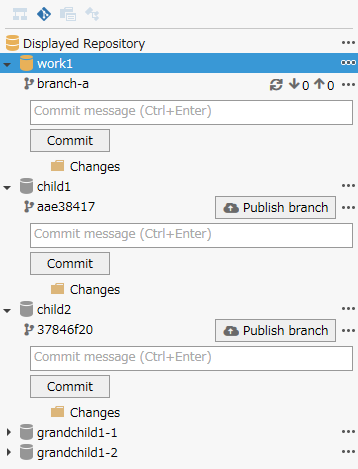
State with Submodules Displayed