Modeling Guide
Overview
This page explains the operations for using FMEA tables in the following order:
- Place the FMEA model
- Add the analysis target
- Add potential failure modes
- Define the judgment criteria
- Determine the corrective action
- Determine the corrective action result
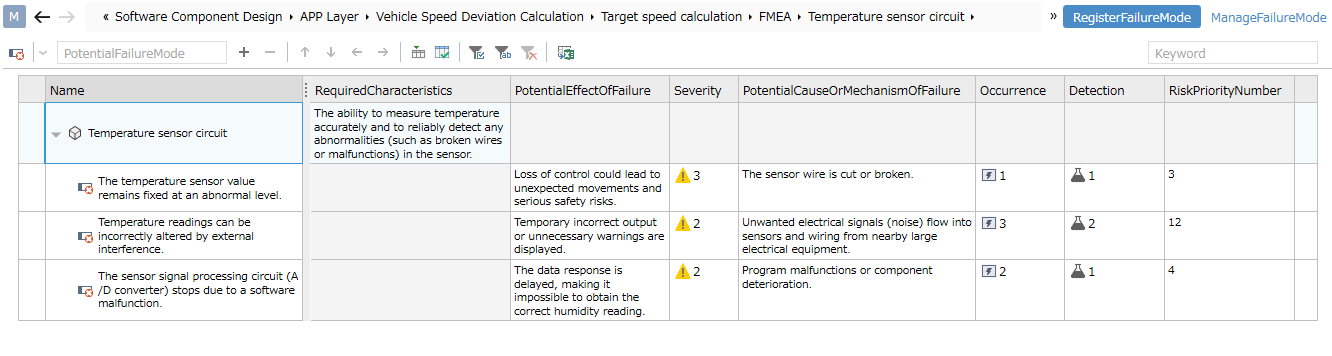
Place the FMEA Model
To create an FMEA table, you must first place an FMEA model.
To place an FMEA model, follow these steps:
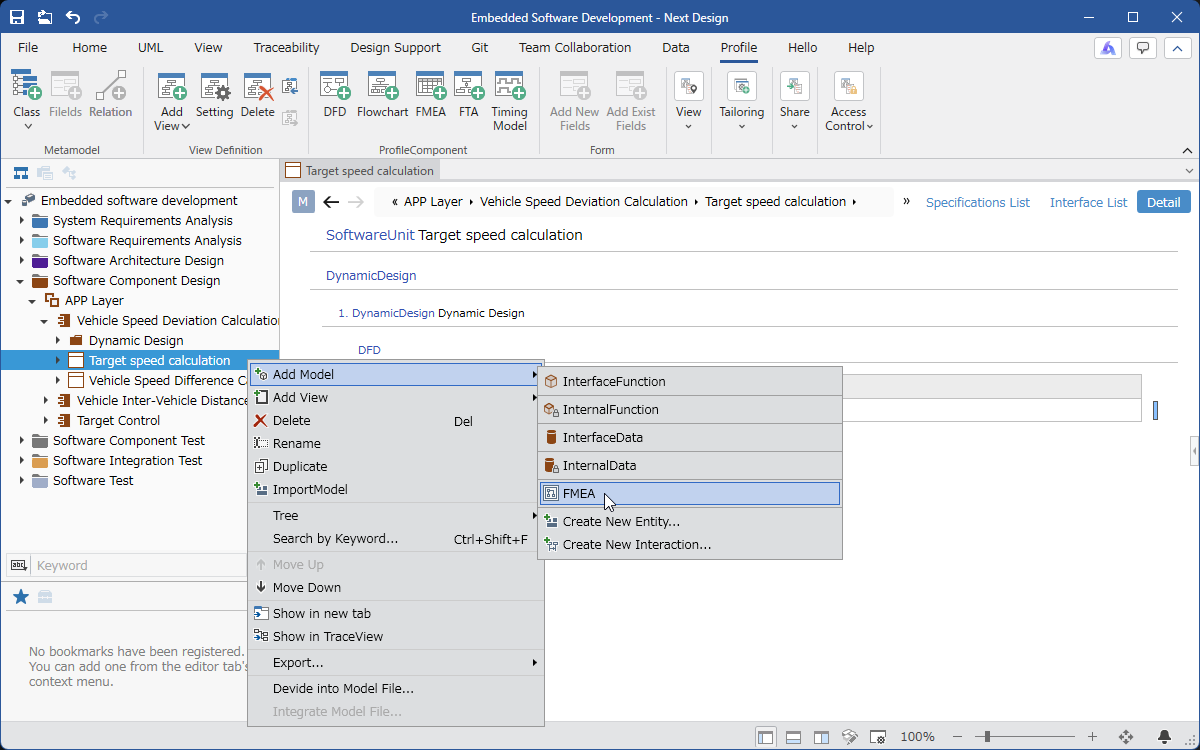
- In [Model Navigator], select the model on which you want to place the FMEA model, and click [Add Model] > [FMEA] in the context menu.
- [FMEA] will be placed as a child element of the selected model.
Adding an Analysis Target
To create an FMEA table, you need to add an analysis target.
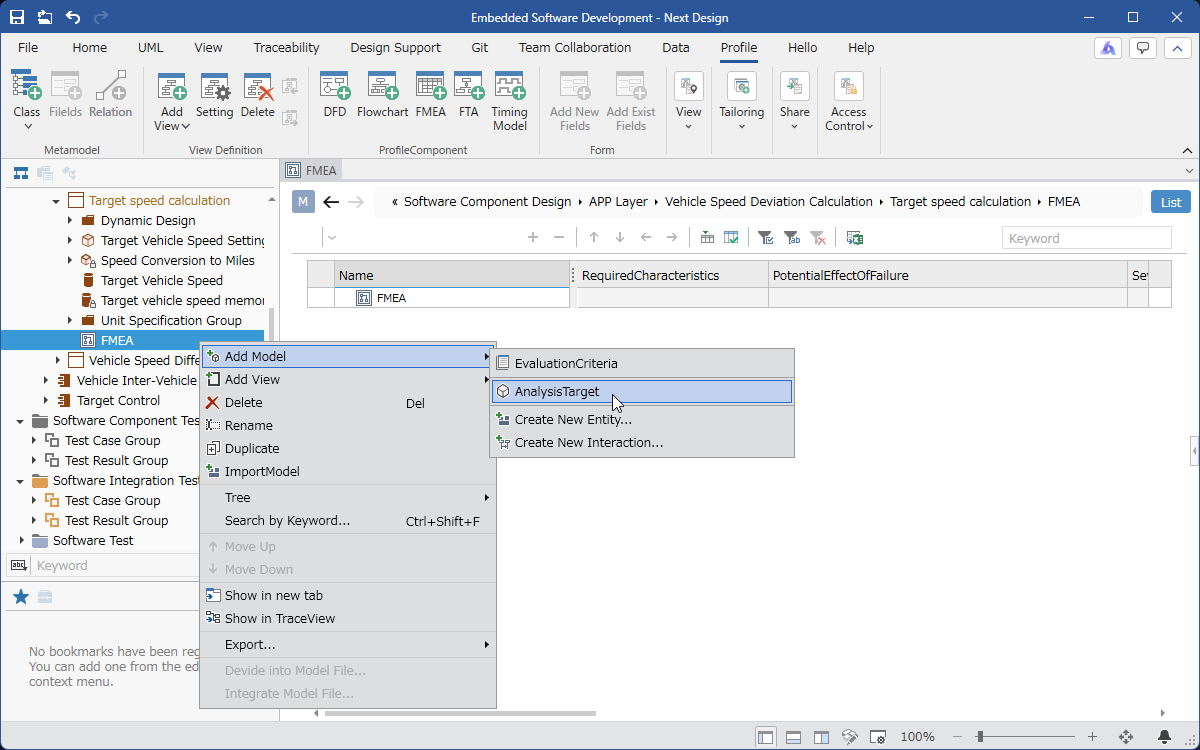
To place an analysis target, follow these steps:
-
Select the FMEA model in [Model Navigator] and click [Add Model] > [Analysis Target] in the context menu.
-
[Analysis Target] will be placed as a child element of the selected model.
Multiple views are defined for the analysis target model. The defined views are as follows:
| View Name | Features |
|---|---|
| Failure Mode Registration | Registers potential failure modes and determines their severity. |
| Failure Mode Management | Add actions for potential failure modes and determine the results of those actions. |
Adding Potential Failure Modes
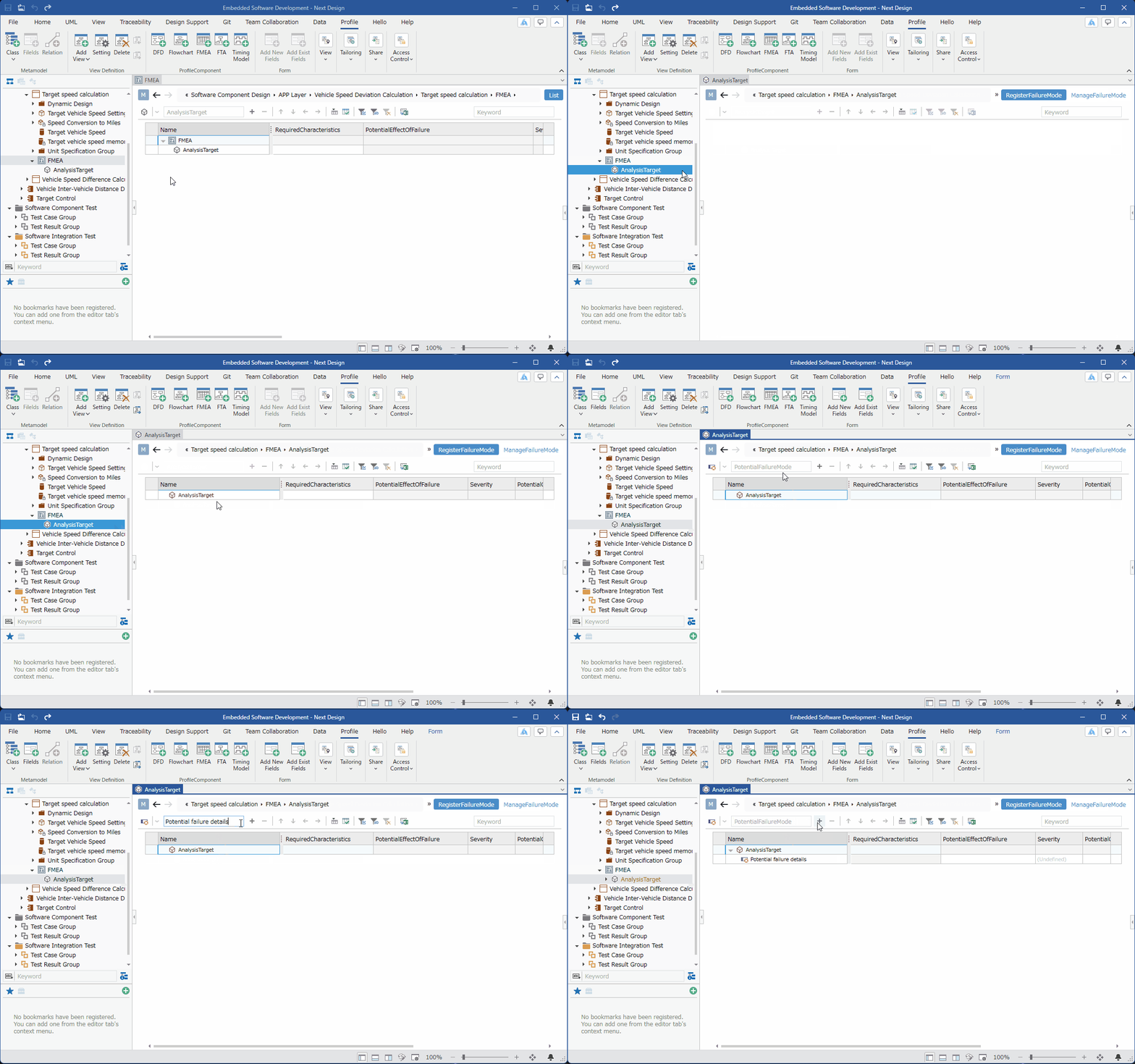
To add potential failure modes to the analysis target, follow these steps:
-
In [Model Navigator], select [Analysis Target] and switch to the [Failure Mode Registration] view.
-
Enter the potential failure mode in the text box on the toolbar at the top of the tree grid and press Enter. It will be added to the end of the child of [Analysis Target].
-
Fill in the necessary information in each column.
Impact/Occurrence/Detectability are determined according to predefined criteria.
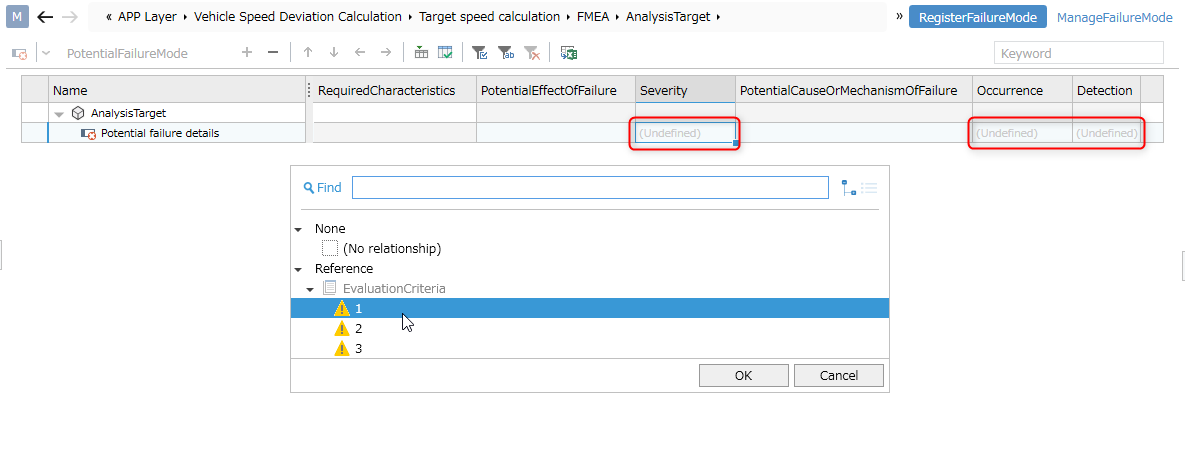
For information on how to define criteria, please refer to [Defining Judgment Criteria].
Defining Judgment Criteria
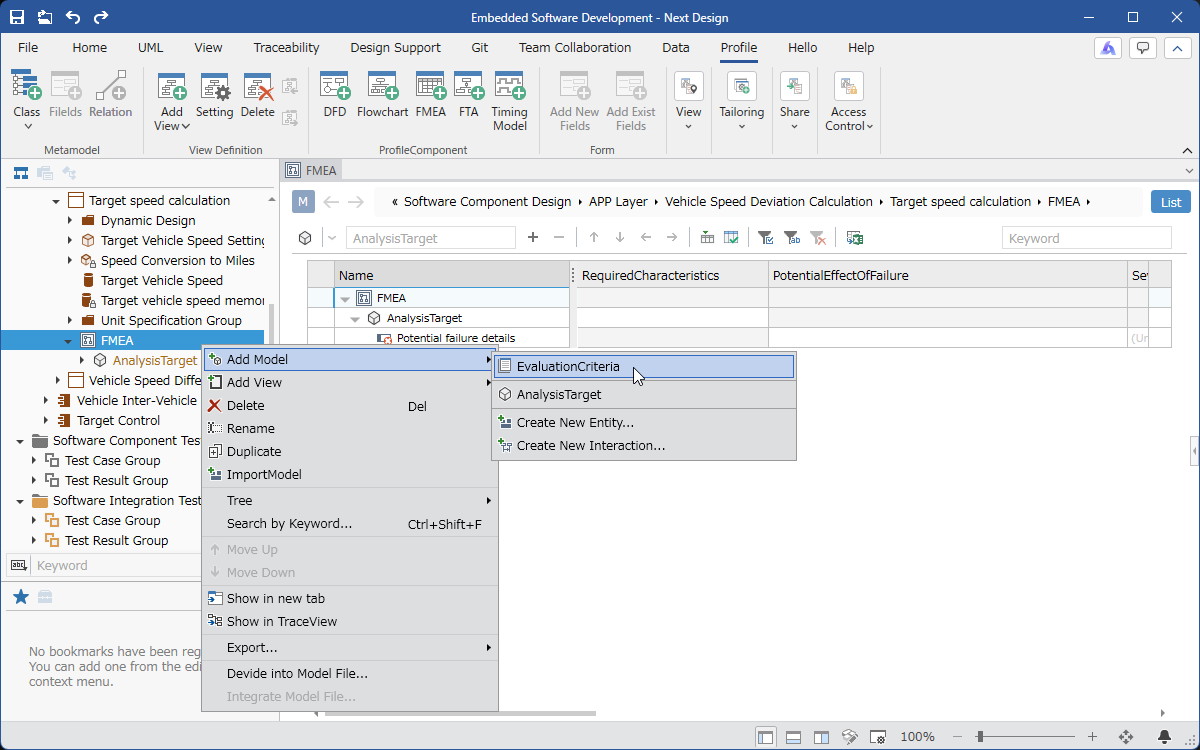
To define the judgment criteria for influence, occurrence, and detection, follow these steps:
-
Select the FMEA model in [Model Navigator] and click [Add Model] > [Judgment Criteria] in the context menu.
-
[Judgment Criteria] will be placed as a child element of the selected model.
-
Select [Judgment Criteria] in [Model Navigator].
-
Add influence, occurrence, and detection, and fill in the necessary information.
Adding Action Details
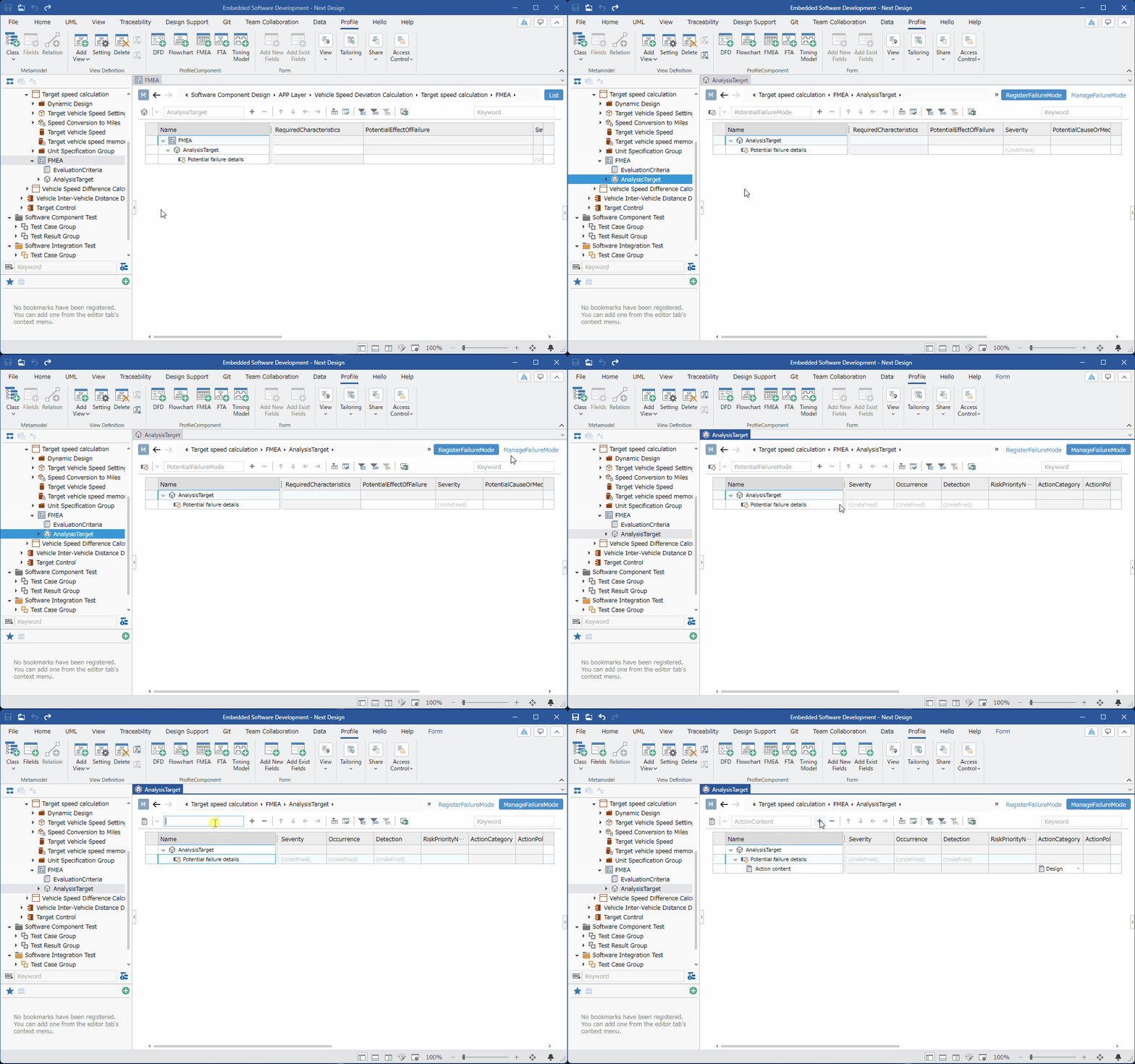
To add action details for potential failure modes, follow these steps:
:::note: Operating Procedure
-
In [Model Navigator], select [Analysis Target] and switch to the [Failure Mode Management] view.
-
In the tree grid, select the [Potential Failure Mode] to which you want to add treatment details.
-
Enter the treatment details in the text box on the toolbar at the top of the tree grid and press the Enter key. It will be added to the end of the [Potential Failure Mode] child.
-
In the tree grid, fill in the columns following the [Treatment Details] row.
-
Treatment Perspective
-
Treatment Policy
-
Person in Charge
-
Expected Completion Date
-
Implemented Details
:::
Determining Treatment Results
To determine the results after performing the treatment, follow these steps:

-
In [Model Navigator], select [Analysis Target] and switch to the [Failure Mode Management] view.
-
In the tree grid, enter the columns following the [Potential Failure Mode] row.
-
Impact after treatment
-
Occurrence rate after treatment
-
Detection rate after treatment
-
Severity after treatment
- In the tree grid, enter the columns following the [Treatment Details] row.
- Completion Date