Quick Start
Overview
Installing the FMEA package adds the following screen components, enabling you to create FMEA tables in Next Design.
-
[Profile] > [Components] > [FMEA] is added to the ribbon.
-
You can add FMEA models from the Model Navigator.
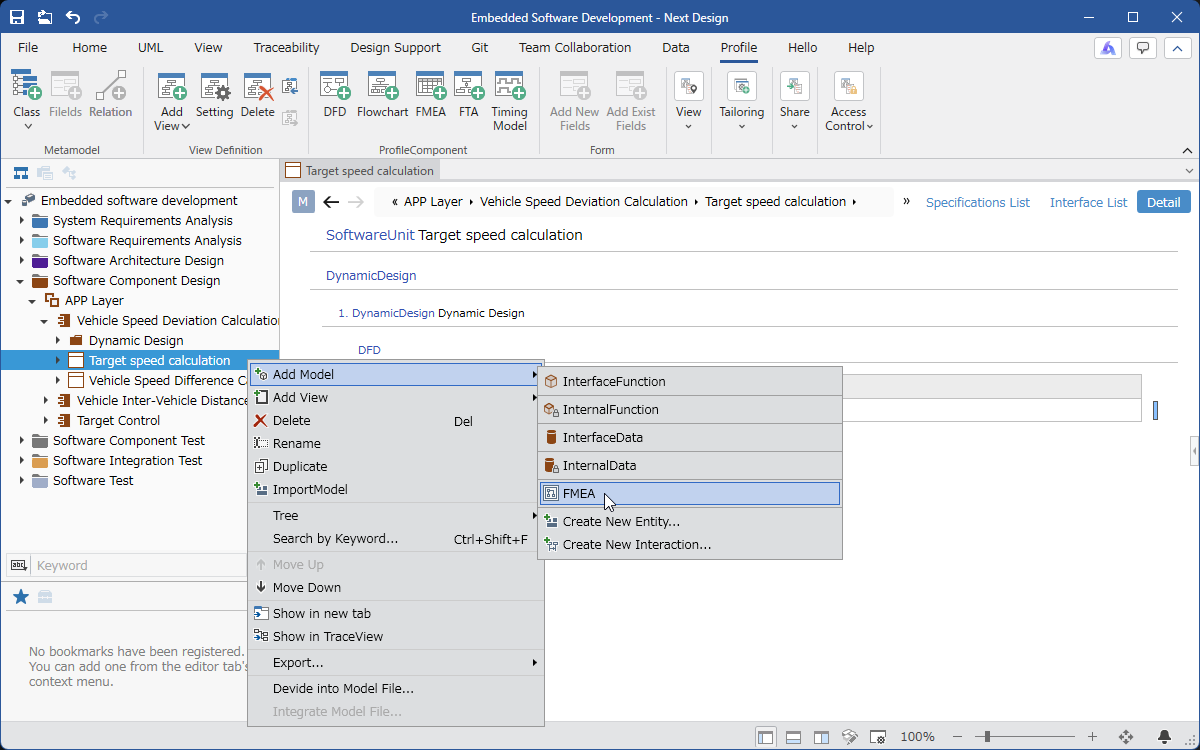
The following describes how to begin creating FMEA tables using the FMEA package, in the following order:
- Install the FMEA package
- Start FMEA in your current project
Installing the FMEA Package
As preparation for creating FMEA tables, install the FMEA package using the following steps.
- Install the [FMEA] package from [DENSO CREATE OFFICIAL] according to the following manual.
- After installation, restart Next Design to make the FMEA package available.
Starting FMEA in Your Current Project
By adding an FMEA metamodel and defining ownership relationships between the added metamodel and the entities that will create the FMEA table, you can create an FMEA table.
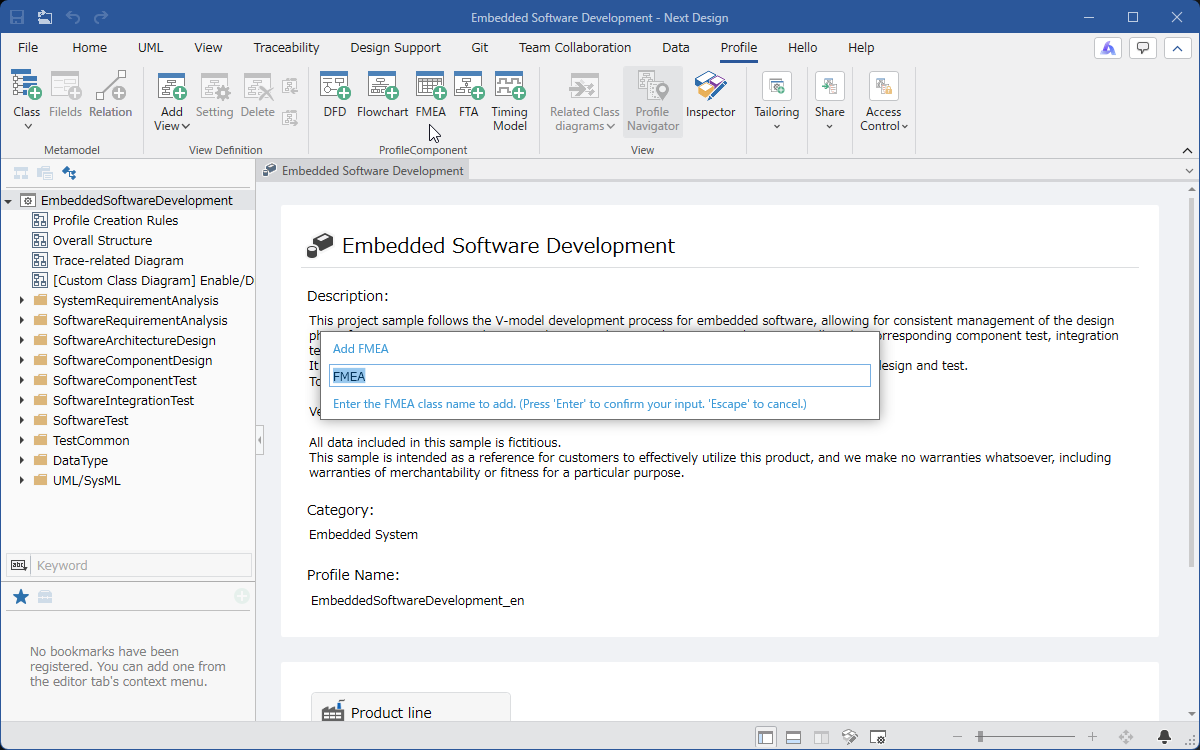
To add an FMEA metamodel, follow these steps:
-
In the [Profile Navigator], select the package to add.
-
Click the [Profile] > [Parts] > [FMEA] button on the ribbon.
-
The FMEA metamodel will be added under the selected package.
- The FMEA metamodel can be added to any package.
This allows you to add FMEA tables to multiple design models within a single project.
- Profiles added via the ribbon [Profile] > [Parts] > [FMEA] cannot be converted to reference format.
To add an FMEA profile in reference format, use the ribbon [Profile] > [Tailoring] > [Add Profile Reference].
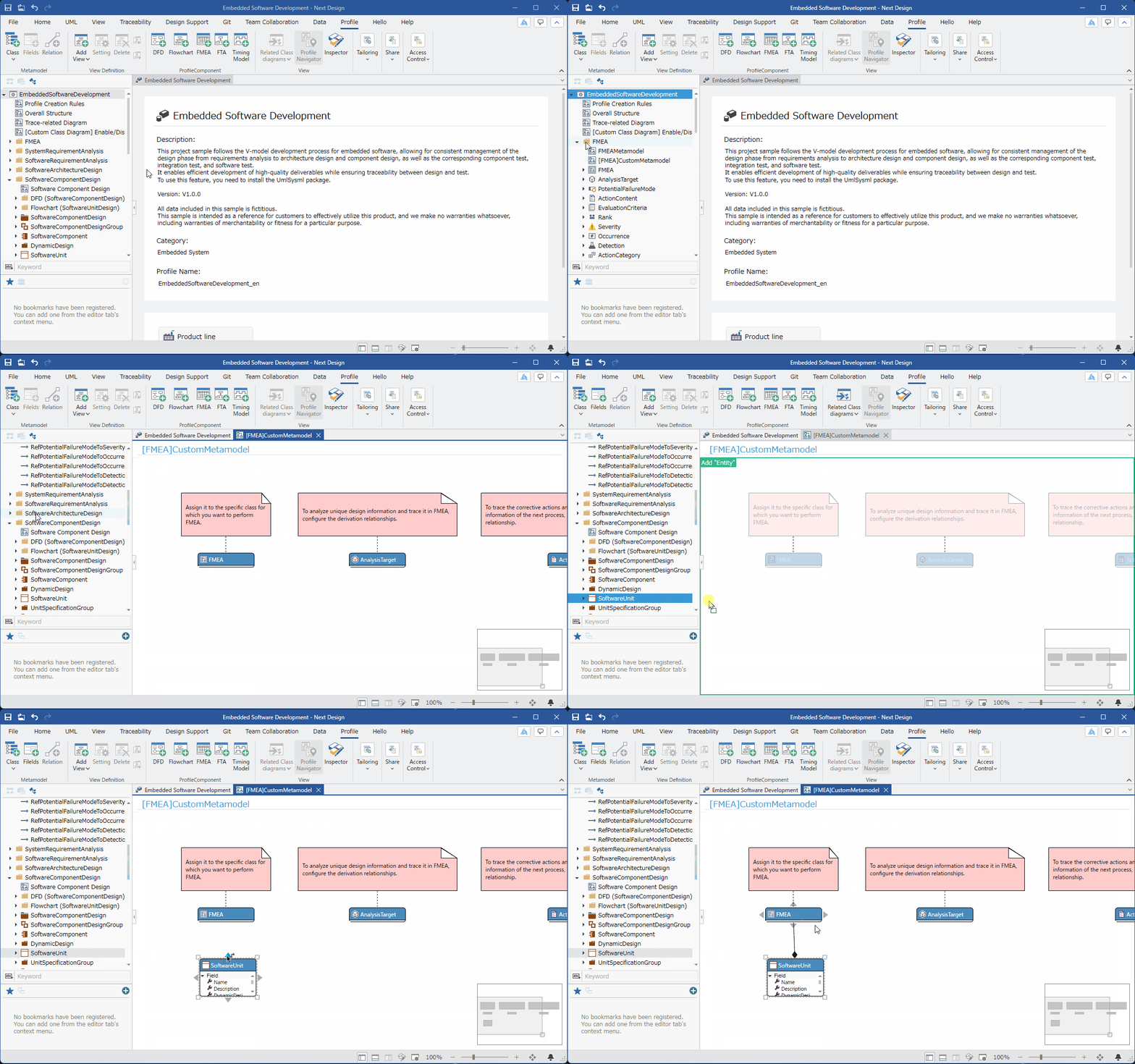
To define ownership relationships, follow these steps:
-
Display the class diagram of the [[FMEA] Custom Metamodel] within the added [FMEA] package.
-
From the [Profile Navigator], drag and drop the entity for which you want to create the FMEA table to add it to the class diagram.
-
In the class diagram, move the pointer to the added entity, drag the [▲] icon that appears in all four directions, and drop it onto the [FMEA] entity.
-
After dropping, a pop-up window with options for the association type will appear; click to select [Embedded] from these options.