Preparation for Using DC Agentiqs
This page is for those who use DC Agentiqs as an AI agent platform and integrate it with Next Design. For DC Agentiqs license registration and initial setup, please follow the DC Agentiqs manual.
If you are using the Next Design AI toolkit from Claude or GitHub Copilot, please refer to "Preparation for Using AI Agents".
Overview
- AI integration with the AI agent "DC Agentiqs" supports design reviews, omission checks, profile definition, etc., streamlining and enhancing design work in Next Design.
- The DC Agentiqs chat window is integrated into the Next Design UI, allowing for seamless AI utilization without the need to switch tools during your normal design process.
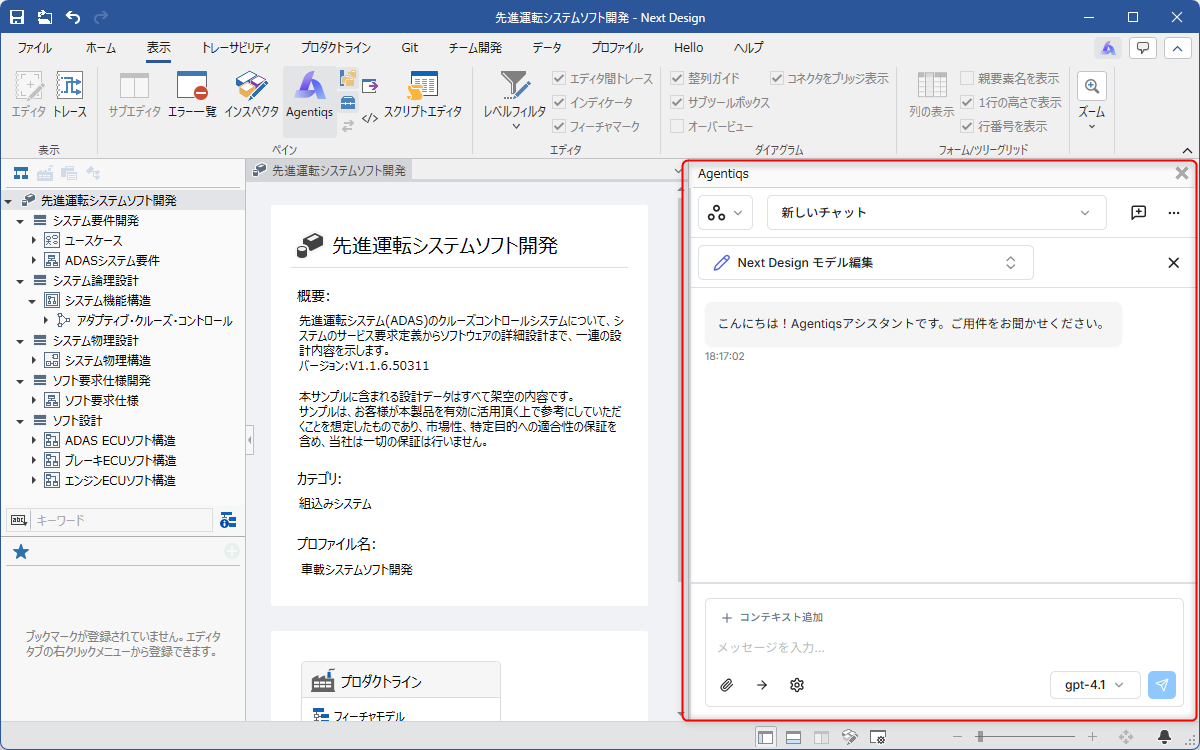
DC Agentiqs Settings
This section describes the procedure for installing and configuring DC Agentiqs.
The specific procedure differs depending on whether or not you have purchased a DC Agentiqs license.
If you have purchased a DC Agentiqs license
This function uses the DC Agentiqs settings as they are. Please refer to the DC Agentiqs Manual and configure the following:
- Workspace
- AI Provider
- Agent
- Knowledge Base
- Tools
Agent Settings
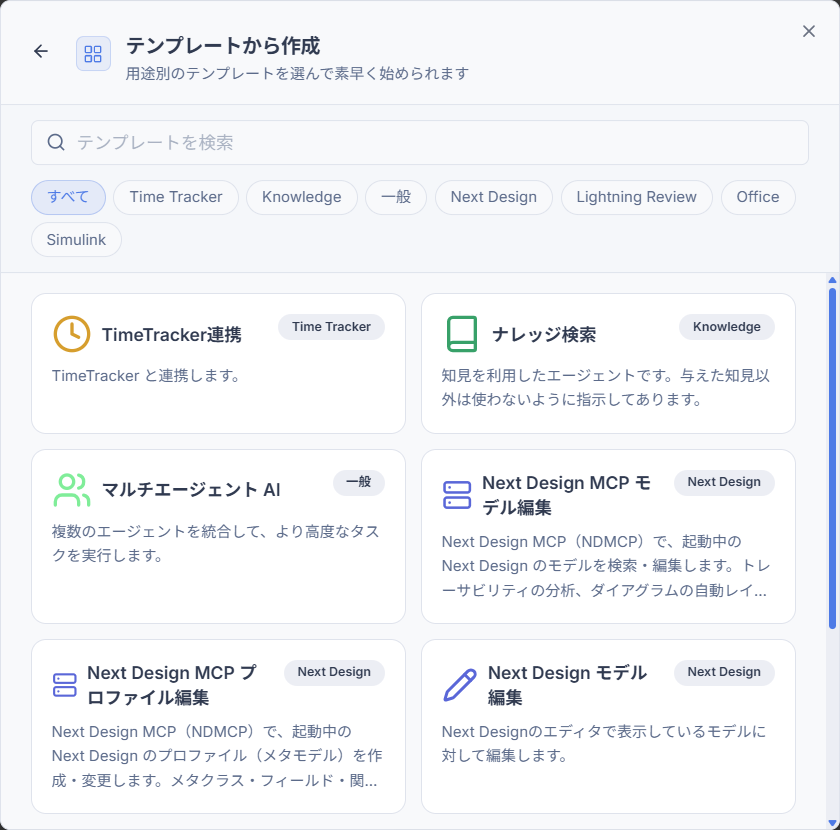
When adding a new agent for Next Design, we recommend selecting from the following pre-prepared templates.
- Next Design MCP Model Editing
- Next Design MCP Profile Editing
- Next Design Model Editing
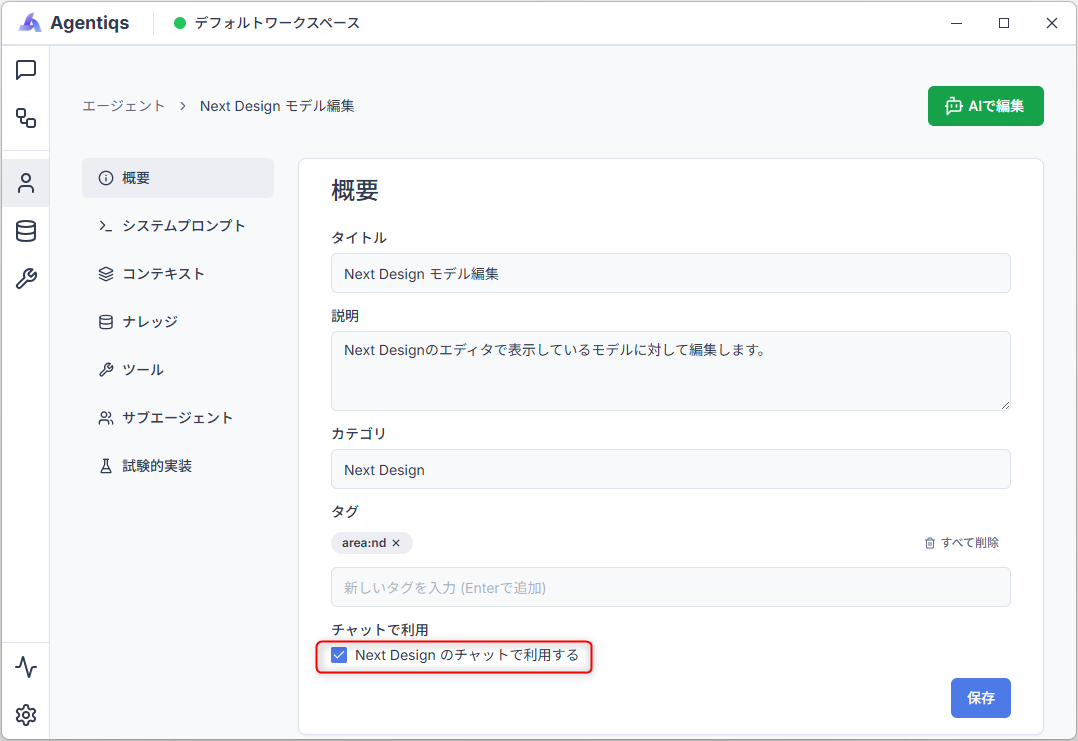
For agents used with Next Design, please check the "[Use in Next Design chat]" checkbox in the agent settings screen. Only agents with this checkbox will be selectable in the Next Design Agentiqs pane.
Next Design AI Toolkit Settings
For the following settings included in the Next Design AI Toolkit, please refer to the Manual.
- Next Design MCP
- Existing Design Asset Import Skill
- Next Design Extension Development Skill
If you have not purchased a DC Agentiqs license
If you have purchased Next Design, you can operate Next Design using the "Next Design AI Toolkit".
For details, please refer to "Setup".