C3: Adding Required Design Methods
Overview
This package profile pre-defines the following design methodologies required in each stage of typical embedded software development:
| Stage | Pre-available Design Methods |
|---|---|
| SoftwareArchitectureDesign | ・Sequence Diagram ・State Machine Diagram (State Transition Table) ・DFD |
| SoftwareComponentDesign | ・Sequence Diagram ・State Machine Diagram (State Transition Table) ・DFD ・Flowchart |
Other design methodologies can also be easily added by using the modularized package sets for each design methodology. (See: Package List)
| Process | Addable Design Methods |
|---|---|
| Arbitrary Process | ・UML/SysML Diagrams ・Flowcharts ・Timing Charts ・DFD ・FMEA ・FTA ・USDM |
Adding Design Methods
The following explains how to add necessary design methods to each process using the following example.
- Example: Adding a Timing Chart to the Software Architecture Design Design Method.
-
Switch to the Profile Navigator, select the target process (e.g., [SoftwareArchitectureDesign]), and add the necessary design method profile (e.g., [Timing Model]). For details on how to add methods, please refer to the [Quick Start] for each design method from the links in the package group listed in Package List.
-
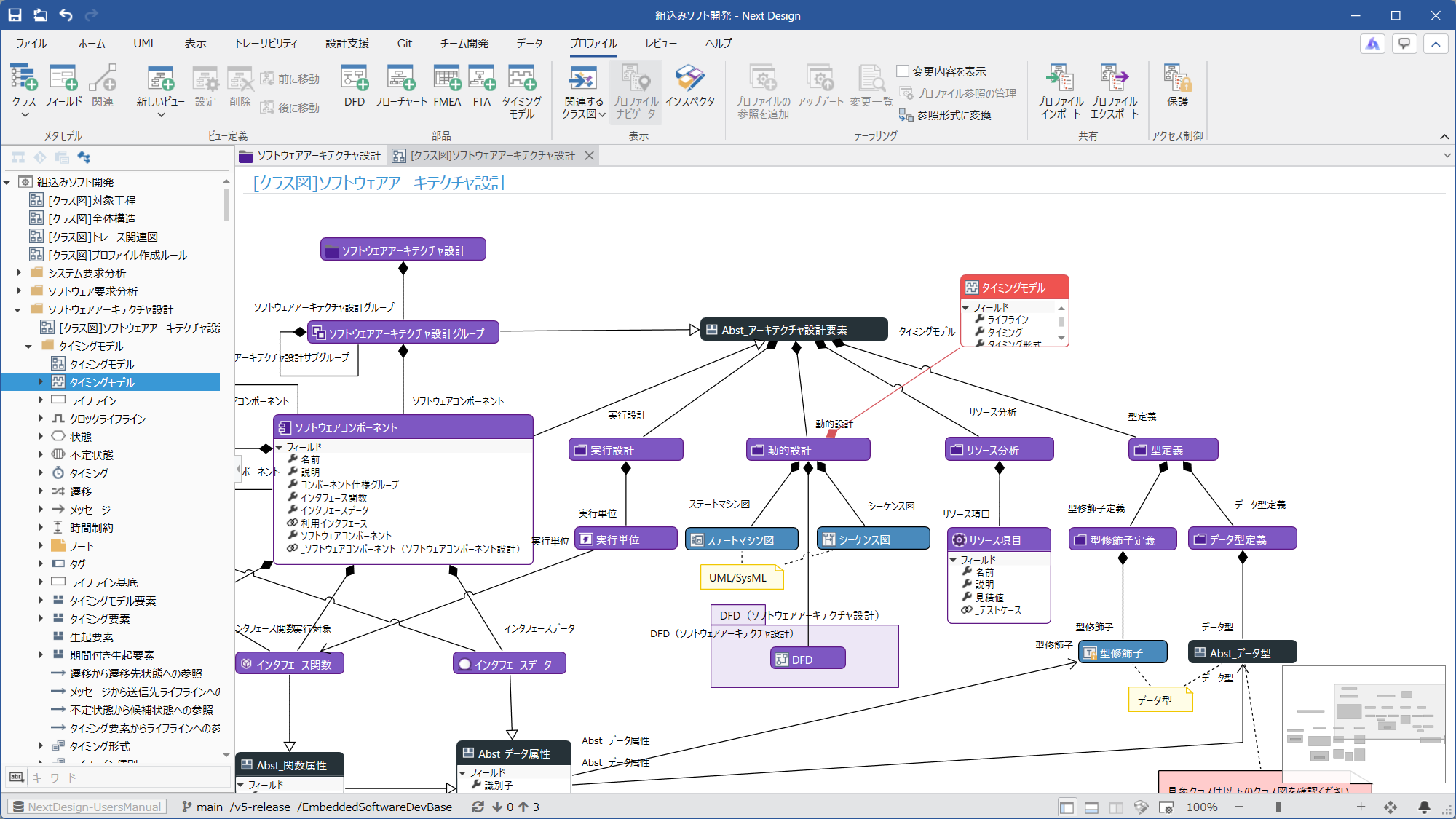
Open the class diagram for each process (e.g., [[Class Diagram] Software Architecture Design]) and place the design methodology class (e.g., [Timing Model]) on the class diagram.
-
Add an ownership relationship from the class to which the design methodology is applied (e.g., [DynamicDesign] owned by [Abst_ArchitectureDesignElement]) to the design methodology class (e.g., [Timing Model]).
-
Return to the Model Navigator and open the view of the model to which you want to add the design methodology. (e.g., [Detail] view of the [SoftwareArchitectureDesignGroup] class model, [Detail] view of the [SoftwareComponent] class model, [Detail] view of the [DynamicDesign] class model)
-
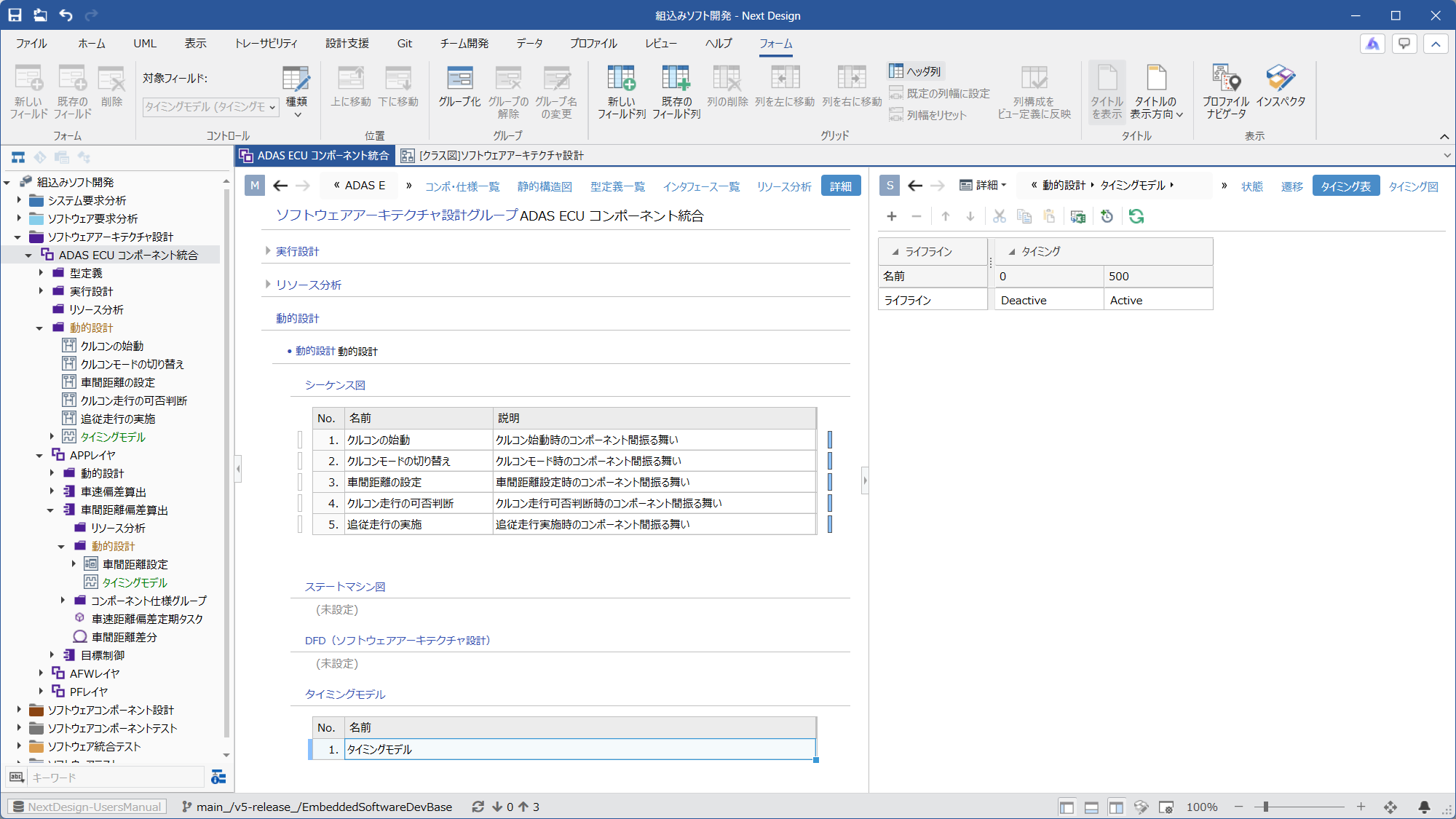
Add the corresponding field (e.g., [Timing Model] field) to the view so that the added design methodology model (e.g., [Timing Model]) can be added and listed from the view.
Screen image of the timing model added to the metamodel
Screen image of the timing model added to the view