C1: Limiting the Scope and Process of Application
This package's profile pre-defines the following processes. After determining the scope of application for digitalization using Next Design, if there are any processes to exclude, remove them from the profile. This narrows the classes displayed as candidates when adding models to only those within the scope, allowing for operation tailored to your specific needs.
How to proceed
-
Switch to the Profile Navigator and double-click [[Class Diagram] Target Process] to open the class diagram.
-
Follow the instructions in the diagram and [Delete From Model] the processes to be excluded.
-
Click [Delete] in the displayed dialog.
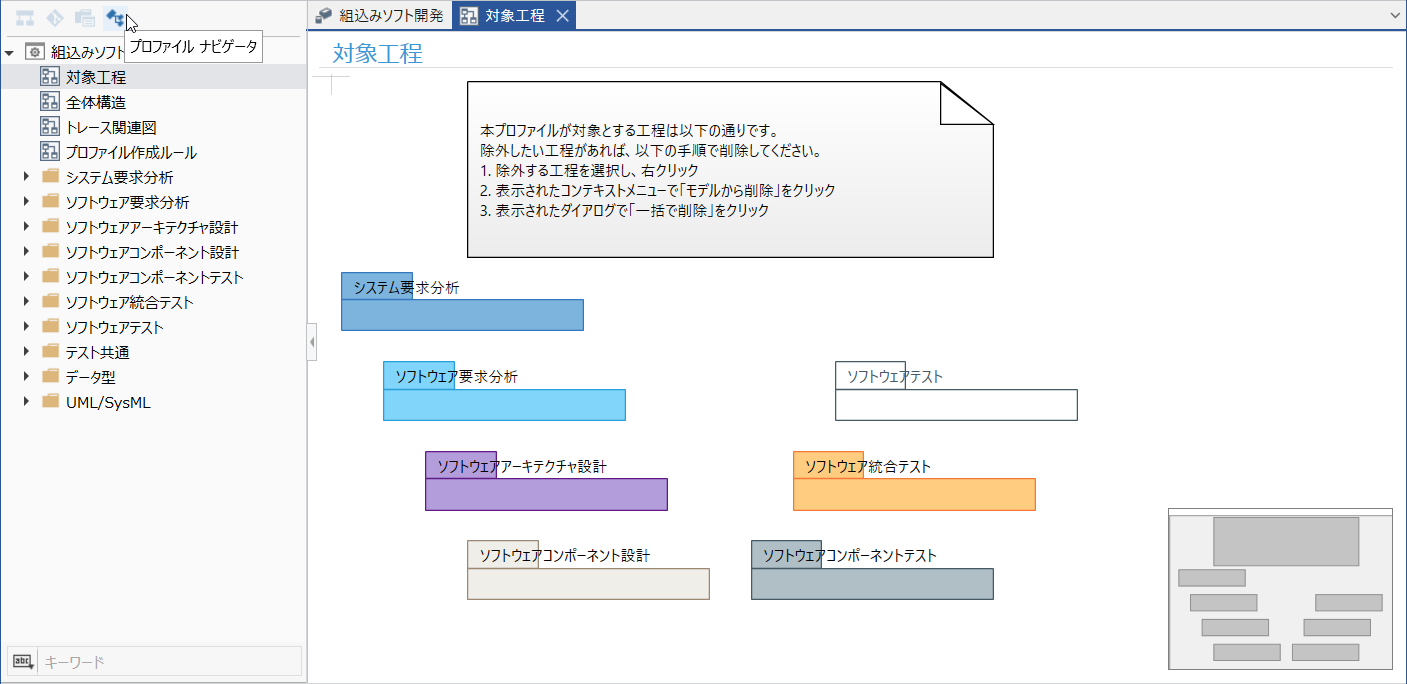
| Requirements Analysis & Design Process | Testing Process |
|---|---|
| System Requirements Analysis | Not Applicable (See "Supplement" in the overall picture) |
| Software Requirements Analysis | Software Testing |
| Software Architecture Design | Software Integration Testing |
| Software Component Design | Software Component Testing |