Preparing for AI-Powered Development
Overview
- AI integration with the AI agent "DC Agentiqs" supports design reviews, omission checks, profile definition, and more, streamlining and enhancing design work in Next Design.
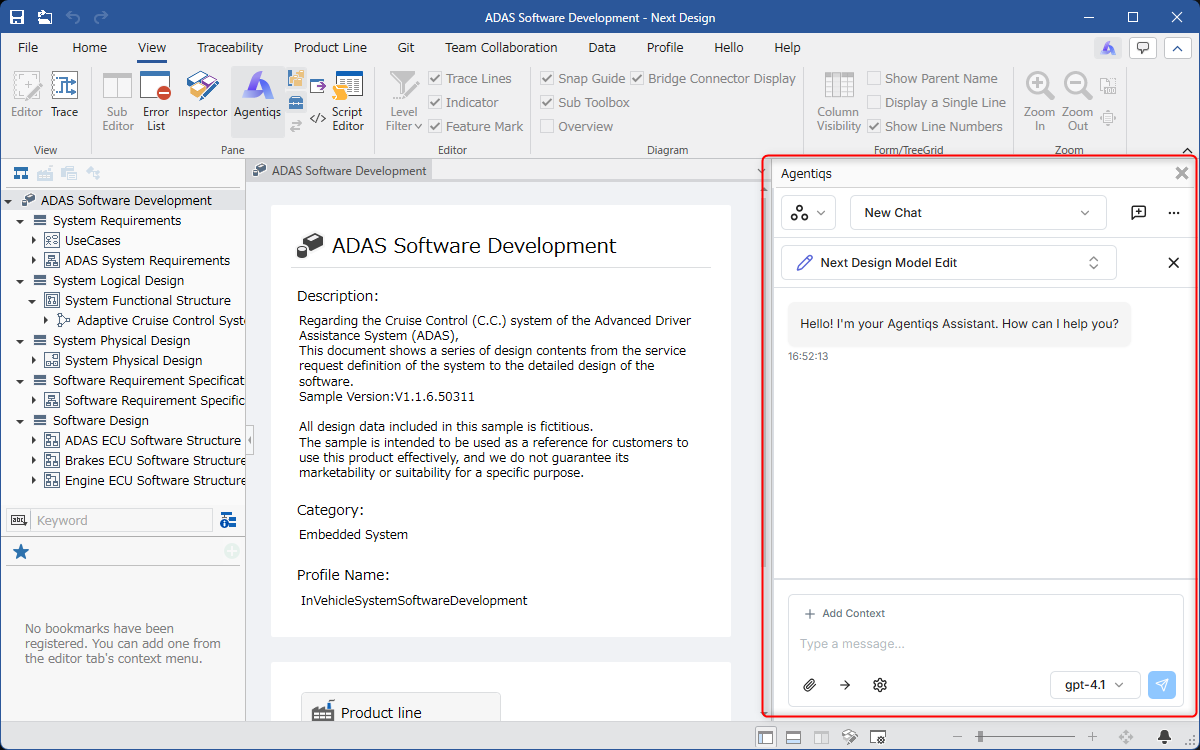
- The DC Agentiqs chat window is integrated into the Next Design UI, allowing for seamless use of AI without the need to switch tools during normal design work.
DC Agentiqs Setup
To use AI integration with DC Agentiqs in Next Design, please perform the following:
- Install the extension in Next Design
- Install DC Agentiqs
- Configure DC Agentiqs
Next Design Extension Installation
Please install the following extension in Next Design:
- NDInterop
Installation Procedure
-
Launch Next Design.
-
Click the [File] menu - [Manage Extensions] to open the [Manage Extensions] dialog box.
-
Select the extension you want to install.
- Entering keywords in the search box in the upper right corner of the dialog box will display extensions containing those keywords in the "Package Name" or "Description."
- Click [Show All] next to the [Version] label and select the version you want to install.
- Click the [Install] button.
- After installation, restart Next Design.
Installing DC Agentiqs
First, please install DC Agentiqs V1.0.1 or later. For details on DC Agentiqs, please refer to the DC Agentiqs Manual.
Configuring DC Agentiqs
This function uses the existing DC Agentiqs settings. Refer to the DC Agentiqs Manual and configure the following:
- Workspace
- Agents
- LLM Models
- Knowledge
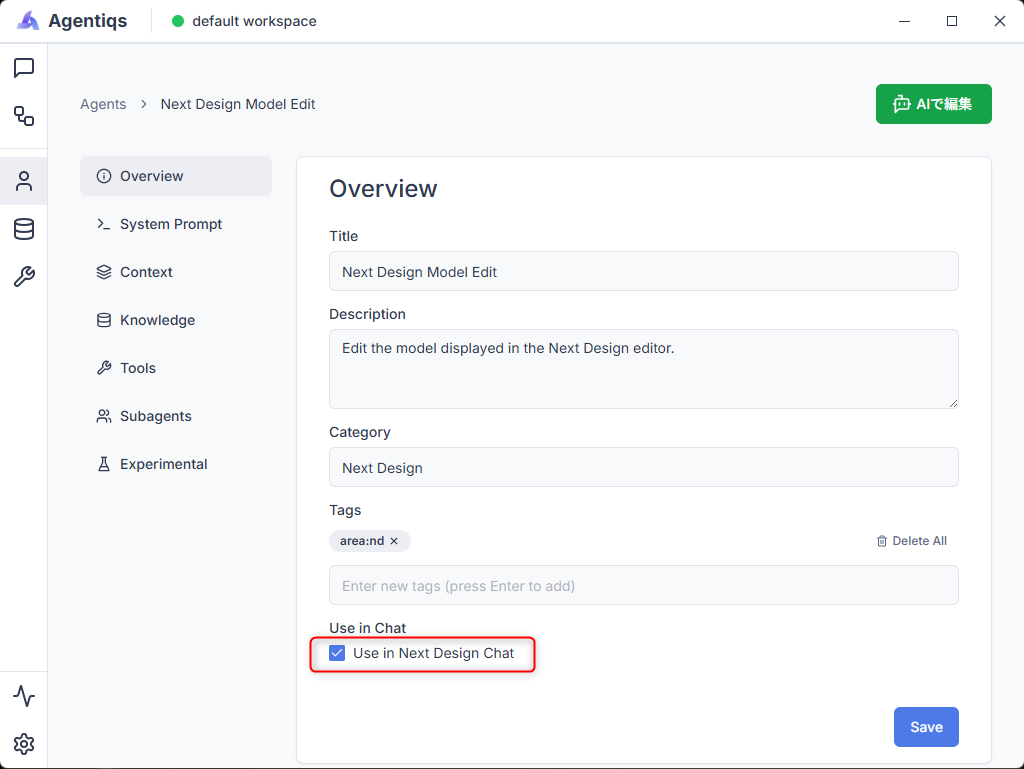
Next, configure the agents to be used in Next Design.
On the DC Agentiqs agent settings screen, check the [Use in Next Design chat] checkbox to enable use in Next Design.