D2. Analyzing Software Requirements
Software requirements analysis allows you to analyze and organize the requirements that should be implemented by the software by taking system requirements as input and performing the following:
- Derive software requirements from system requirements
- Detail the analysis results of software requirements
- Map them to release targets
- Manage requirement IDs
Below, we will explain the screen image during requirements analysis, the model to be edited, and the views and extension functions used for each use case.
| ユースケース | 画面イメージ | モデルとビュー | 説明 |
|---|---|---|---|
| D2.1. Deriving Software Requirements from System Requirements | 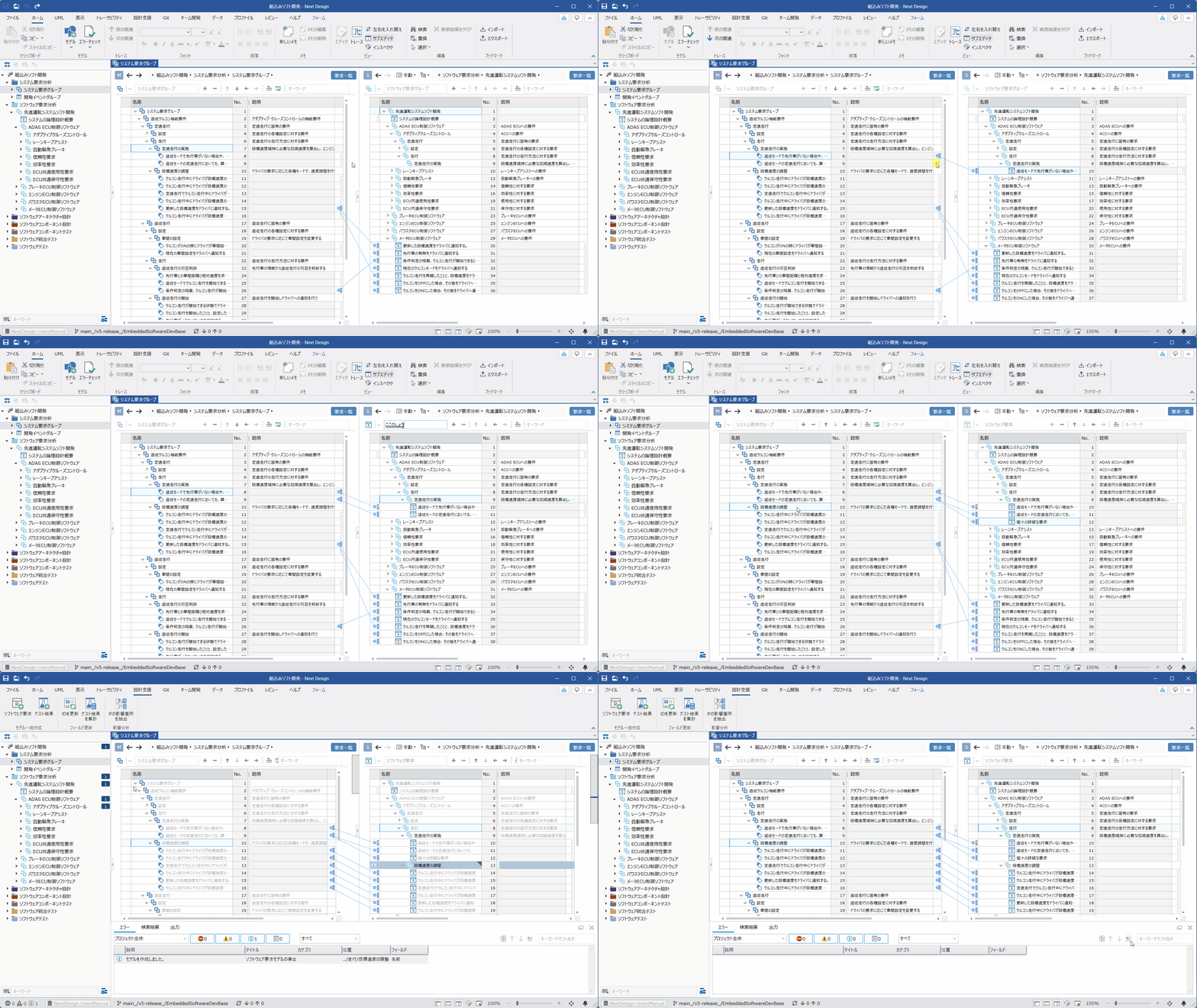 | Ⓜ Main Editor • Model: [SystemRequirementGroup] • View: [Requirement list] Ⓢ Sub Editor • Display Mode: [Manual] • Model: [SoftwareRequirementGroup] • View: [Requirement list] | You can derive [Software requirements] by dragging and dropping [SystemRequirement] from the main editor to [SoftwareRequirementGroup] in the sub-editor. You can also manually add [Software requirements] and then associate them with the higher-level [SystemRequirement]. You can derive [Software requirements] in bulk using the extension function by selecting [SystemRequirement] or [SystemRequirementGroup] in the main editor, selecting the target [SoftwareRequirementGroup] in the sub-editor, and then clicking the [Design Support] > [Batch Model Creation] > [Software requirements] button on the ribbon tab. |
| D2.2. Analyze requirements and describe details | 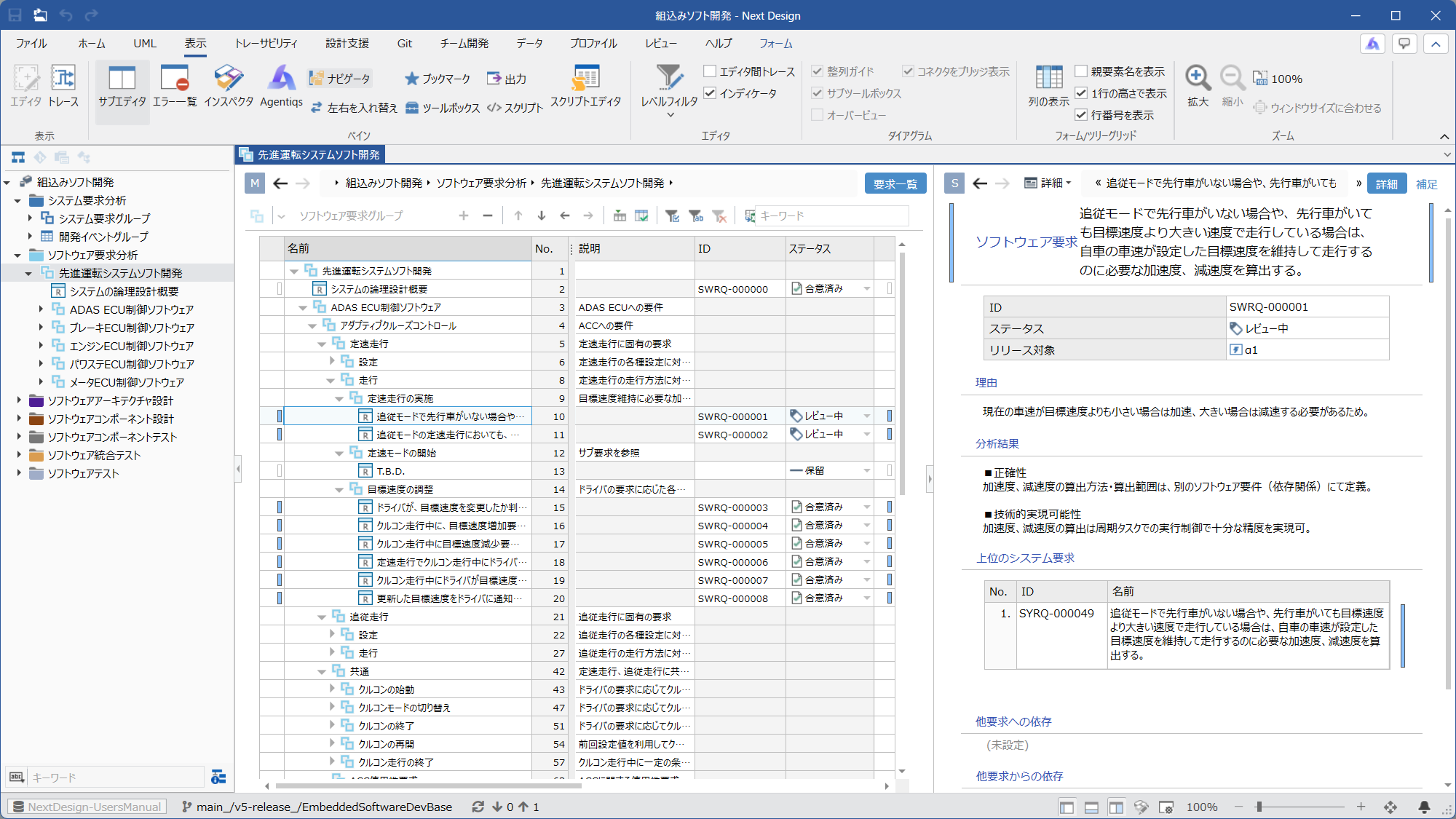 | Ⓜ Main Editor • Model: [SoftwareRequirementGroup] • View: [Requirement list] Ⓢ Sub Editor • Display Mode: [Detail] • View: Either [Detail] or [AdditionalInformation] | You can select [Software requirements] in the main editor and describe details such as [AnalysisResults] in the sub editor. The [AdditionalInformation] view allows you to write in rich text format, incorporating images and tables. |
| D2.3. Associating requirements with development events targeted for release | 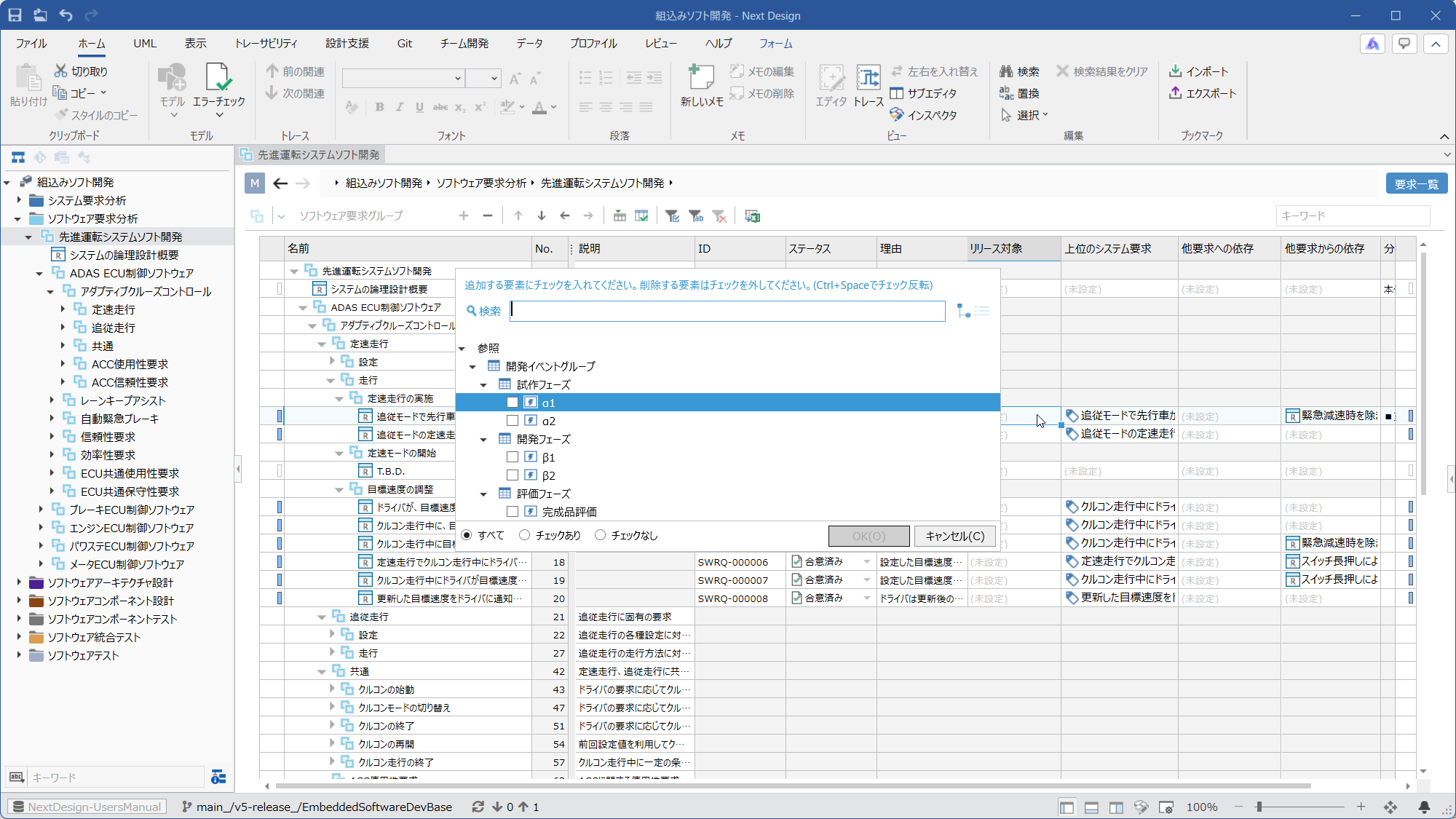 | ⓂMain Editor • Model: [SoftwareRequirementGroup] • View: [Requirement list] ⓈSub Editor • None | You can associate [Software requirements] with [DevelopmentEvent] such as milestones in the [ReleaseTarget] column of the [Requirement list] view. |
| D2.4. Assigning IDs to Requirements | 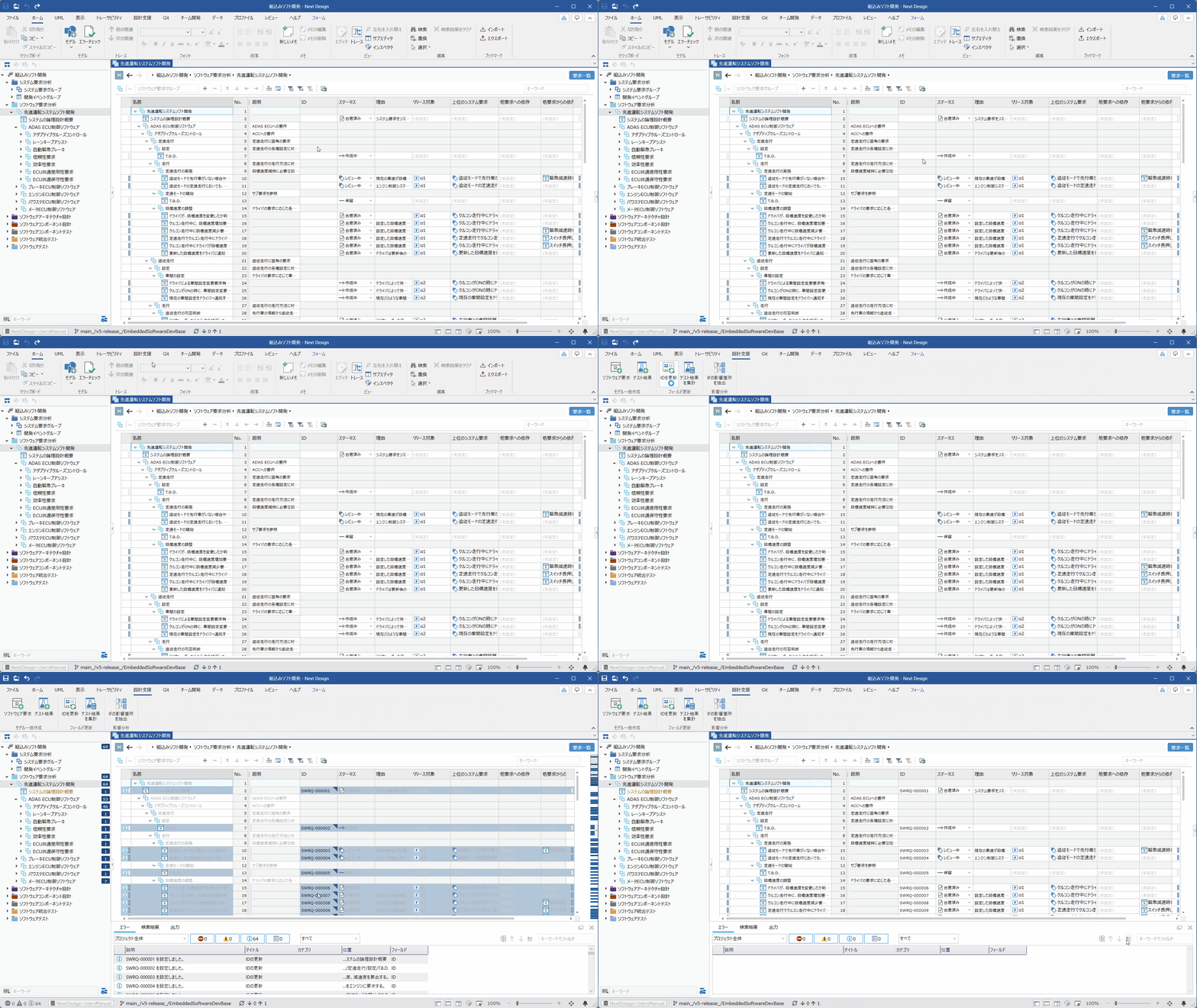 | Ⓜ Main Editor • Model: [SoftwareRequirementGroup] • View: [Requirement list] Ⓢ Sub Editor • None | By selecting a group or individual requirements and clicking the [Design Support] > [Field Update] > [Update ID] button on the ribbon tab, the extension function will sequentially renumber the [ID] of [Software requirements]. If you select a group and execute this, all requirements under that group will be targeted. |