D1. Analyzing System Requirements
System requirements analysis allows you to:
- Digitization of system requirements, which serve as input for software development (modeling in Next Design)
- Registration of development events such as milestones
By digitizing system requirements, software development can proceed while ensuring traceability based on the system requirements in processes after software requirements analysis.
Below, we will explain the screen images, the model to be edited, and the views used for each use case.
| ユースケース | 画面イメージ | モデルとビュー | 説明 |
|---|---|---|---|
| D1.1. Register System Requirements | |||
| └ D1.1.1. Digitize System Requirements | 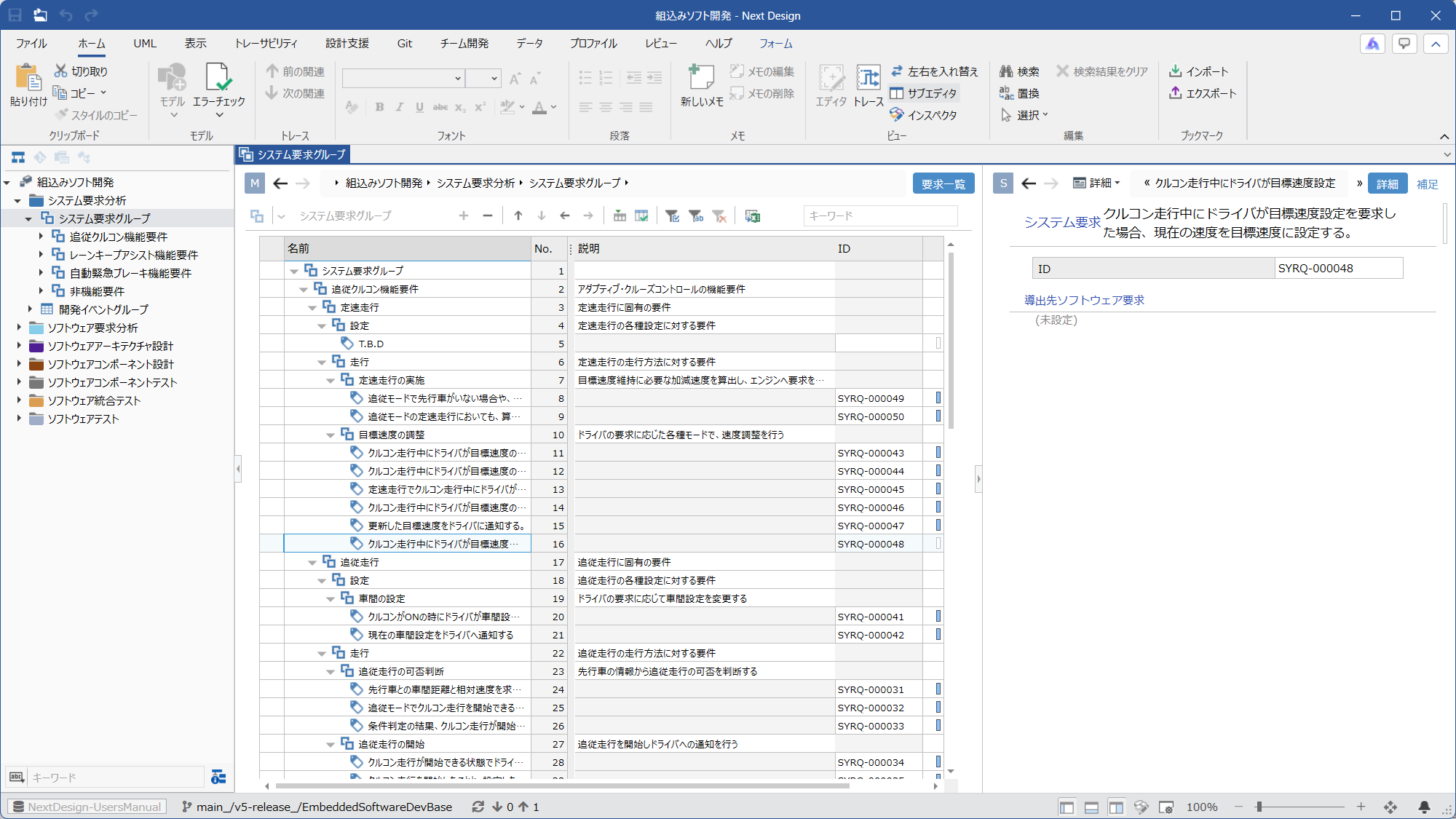 | Ⓜ Main Editor • Model: [SystemRequirementGroup] • View: [Requirement list] Ⓢ Sub Editor • Display Mode: [Detail] • View: [Detail] or [Additional Information] | System requirements can be digitized as Next Design models. These requirements can be grouped and organized. |
| └ D1.1.2. Streamlining Requirement Input | 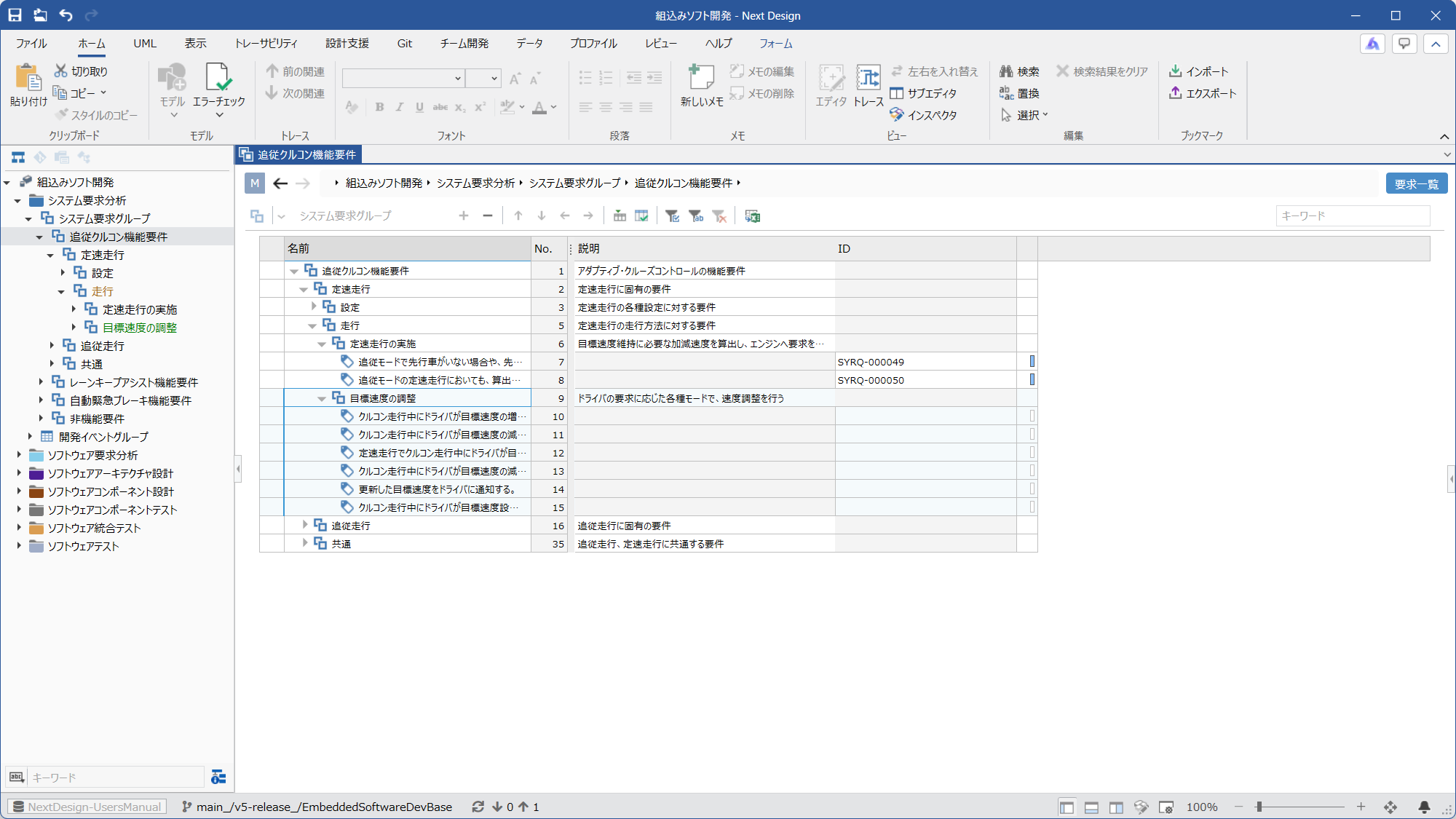 | Ⓜ Main Editor • Model: [SystemRequirementGroup] • View: [Requirement list] Ⓢ Sub Editor • None | If the data source for the requirement input is in tabular format, you can streamline the requirement input by aligning the column structure of the source data with the column structure of the [Requirement list] view before copying and pasting. |
| └ D1.1.3. Assigning IDs to Requirements | 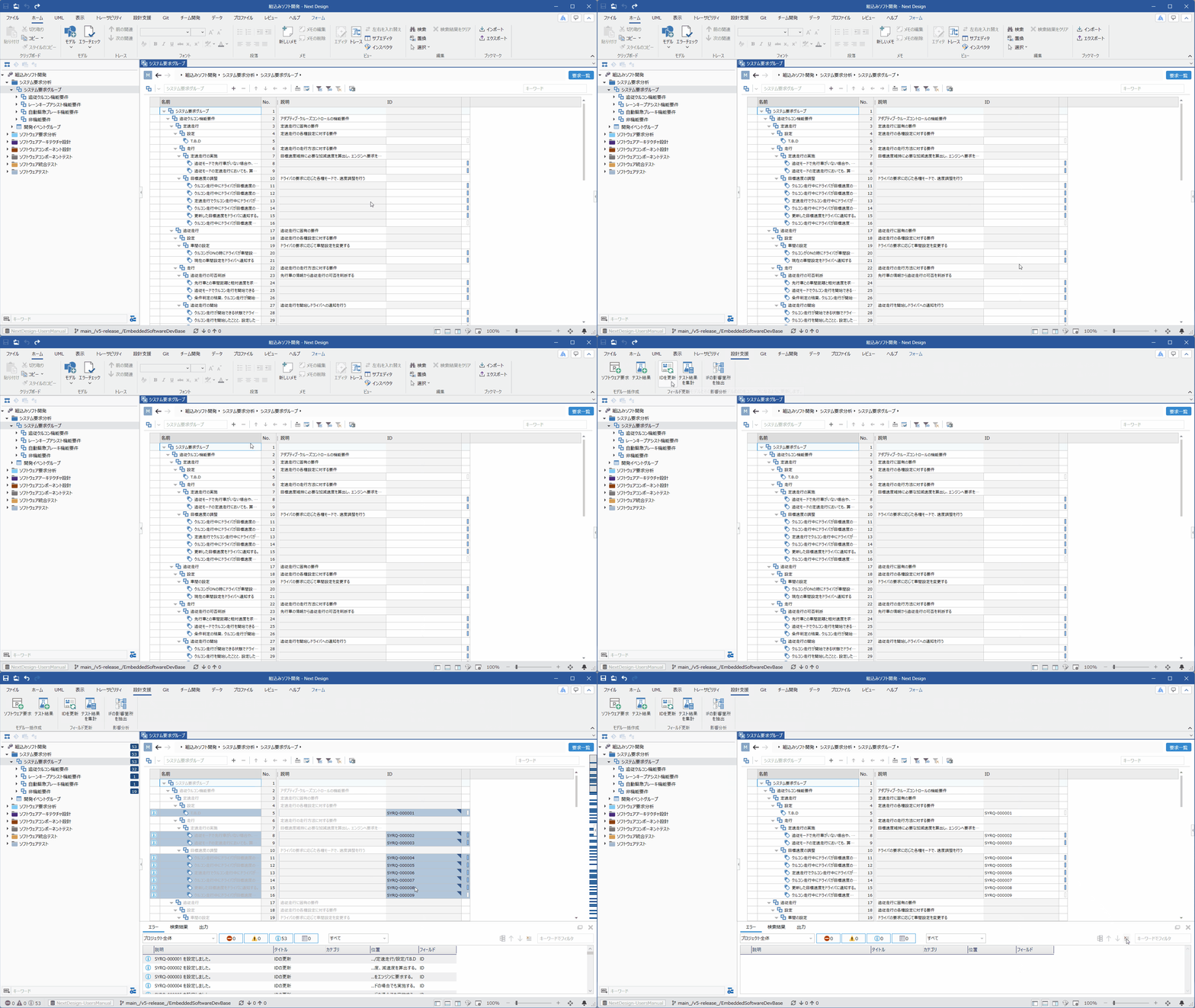 | Ⓜ Main Editor • Model: [SystemRequirementGroup] • View: [Requirement list] Ⓢ Sub Editor • None | If system requirements do not have IDs assigned, you can assign them using the extension function. Select a group or individual requirements, and press the [Design Support] > [Field Update] > [Update ID] button on the ribbon tab to continuously reassign the [ID] of [SystemRequirement] using the extension function. If you select a group and run this, all requirements under that group will be targeted. |
| D1.2. Registering Development Events (Milestones, etc.) | 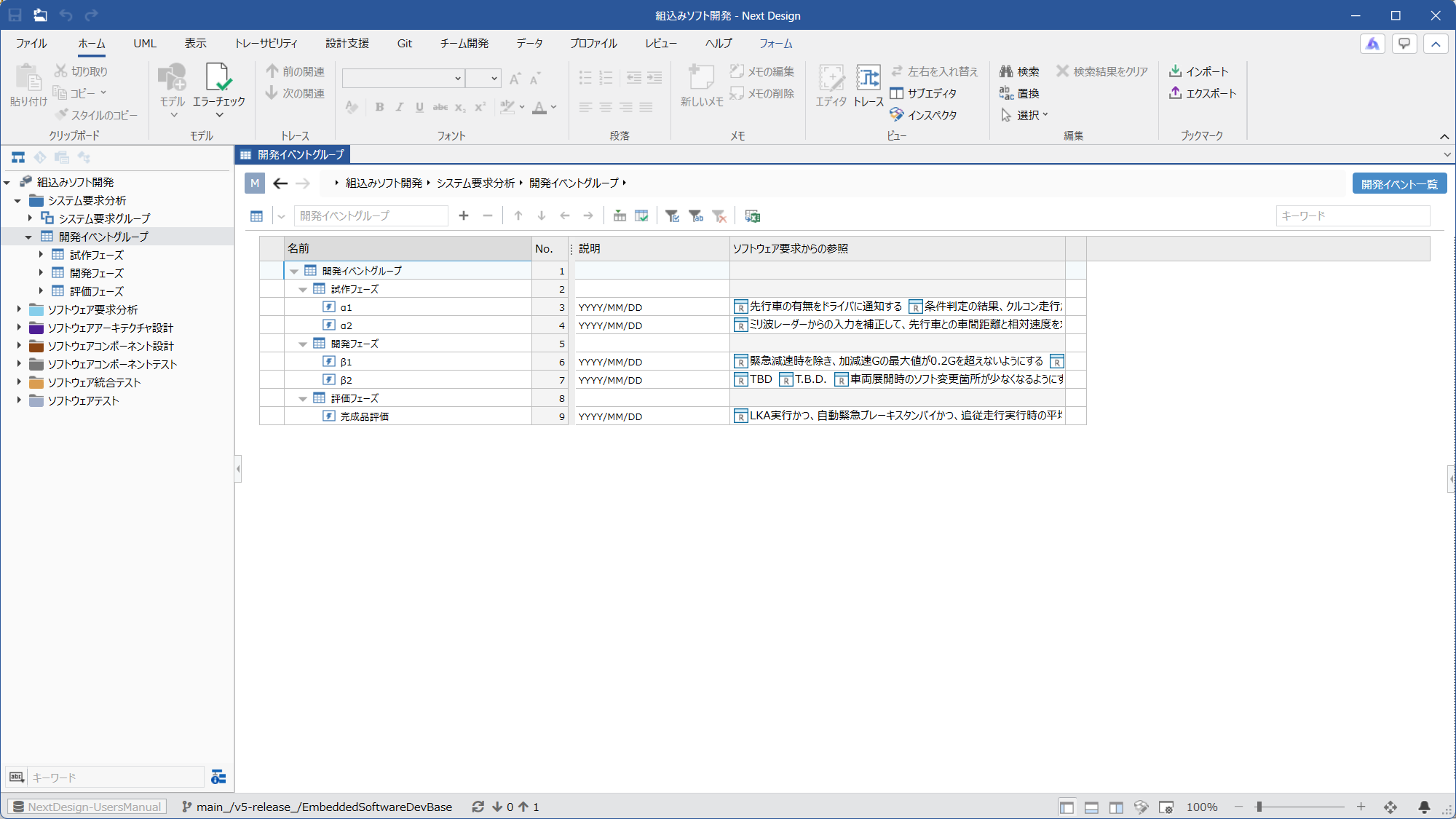 | Ⓜ Main Editor • Model: [DevelopmentEventGroup] • View: [Development Event List] Ⓢ Sub Editor • None | You can register and manage development events such as milestones. Development events can be grouped. |
About system requirements in ReqIF format
- If system requirements are provided in ReqIF format, you can also use ReqIFIntegration.