D5. Designing Tests
This package defines the following test processes for the requirements analysis and design processes, and test cases can be designed in the same way for any of these test processes.
| Requirements Analysis/Design Process | Test Process |
|---|---|
| SoftwareRequirementAnalysis | Software Testing |
| SoftwareArchitectureDesign | Software Integration Testing |
| SoftwareComponentDesign | Software Component Testing |
Below, using software component testing as an example, we will explain the screen image, the model to be edited, and the views and extension functions used for each use case.
| ユースケース | 画面イメージ | モデルとビュー | 説明 |
|---|---|---|---|
| D5.1. Derive Test Cases from the Requirements Analysis and Design Process Model | 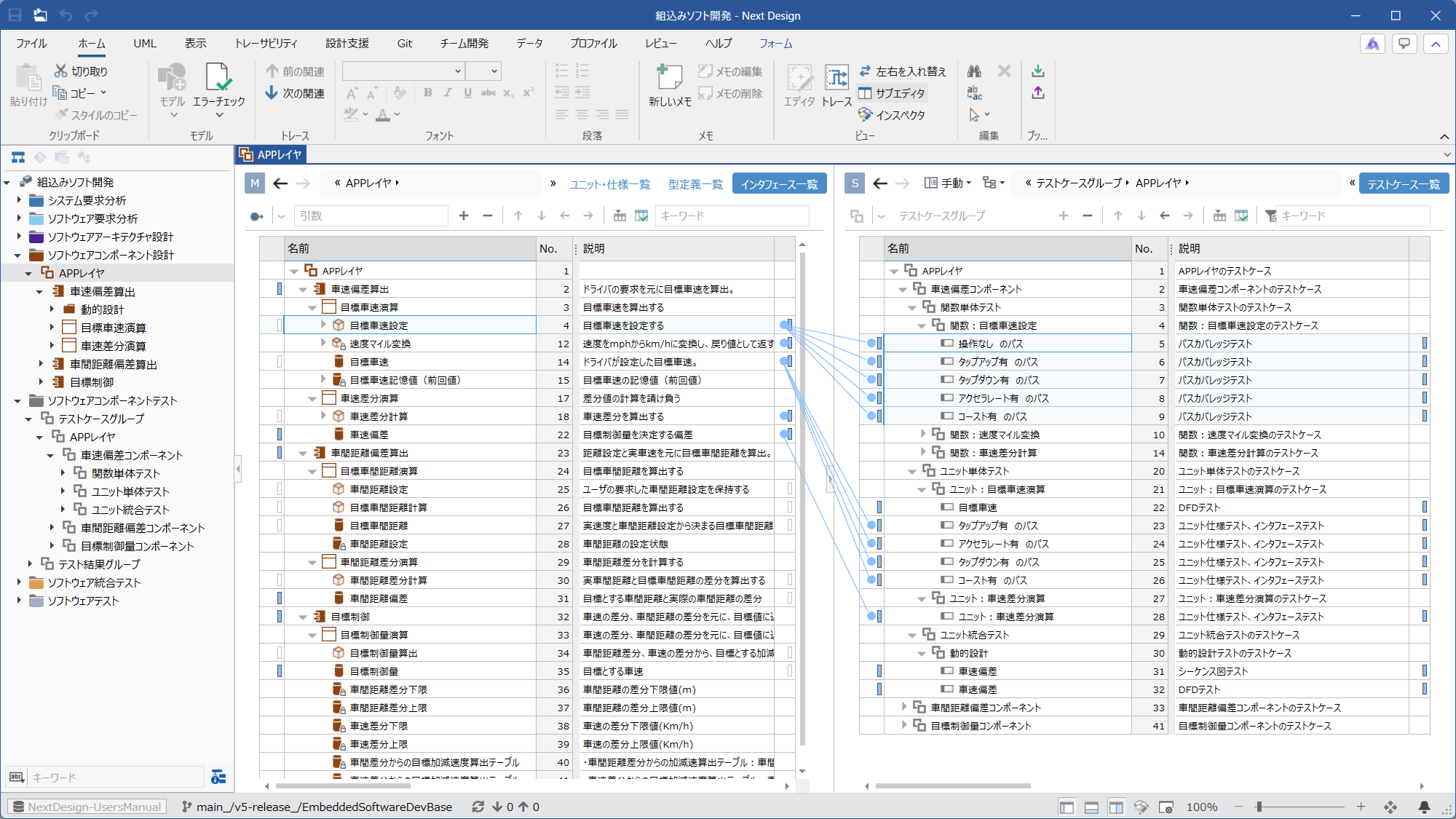 | Ⓜ Main Editor • Model: One of [SoftwareComponentDesignGroup], [SoftwareComponent], or [SoftwareUnit] • View: One of [Unit_SpecificationsList], [Specification list], [Interface List], or [Detail] Ⓢ Sub Editor • Display Mode: [Manual] • Model: [TestCaseGroup] • View: [TestCase List] | By adding [TestCaseGroup], you can derive [Test cases] from [UnitSpecification] and [InterfaceFunction] in a two-screen configuration. |
| D5.2. Designing Test Case Details | 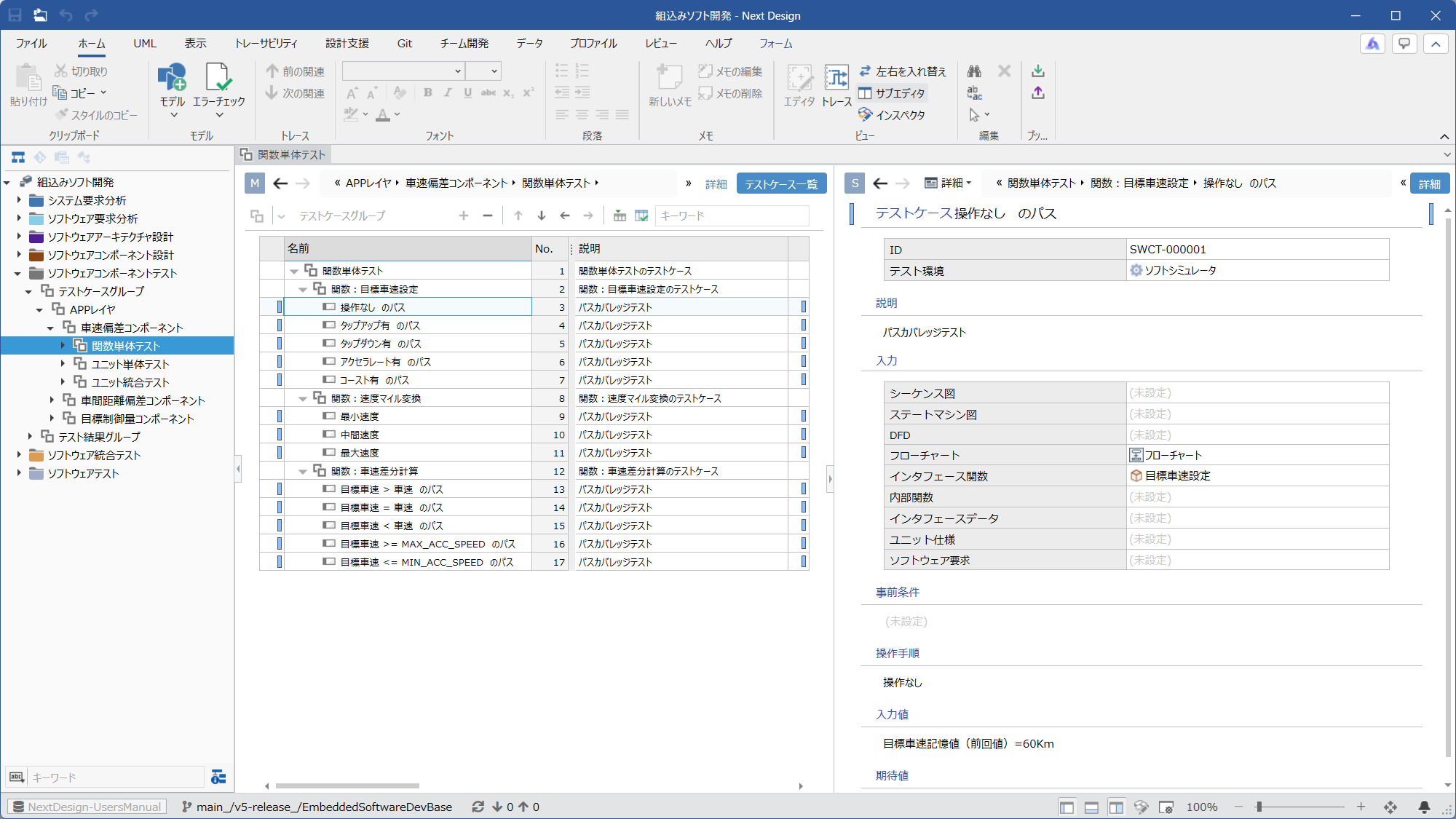 | Ⓜ Main Editor • Model: [TestCaseGroup] • View: [TestCase List] Ⓢ Sub Editor • Display Mode: [Detail] | You can design [Pre-condition], [OperationalProcedure], [InputValues], [ExpectedValues], etc. for each test case. |
| D5.3. Assigning IDs to Test Cases | 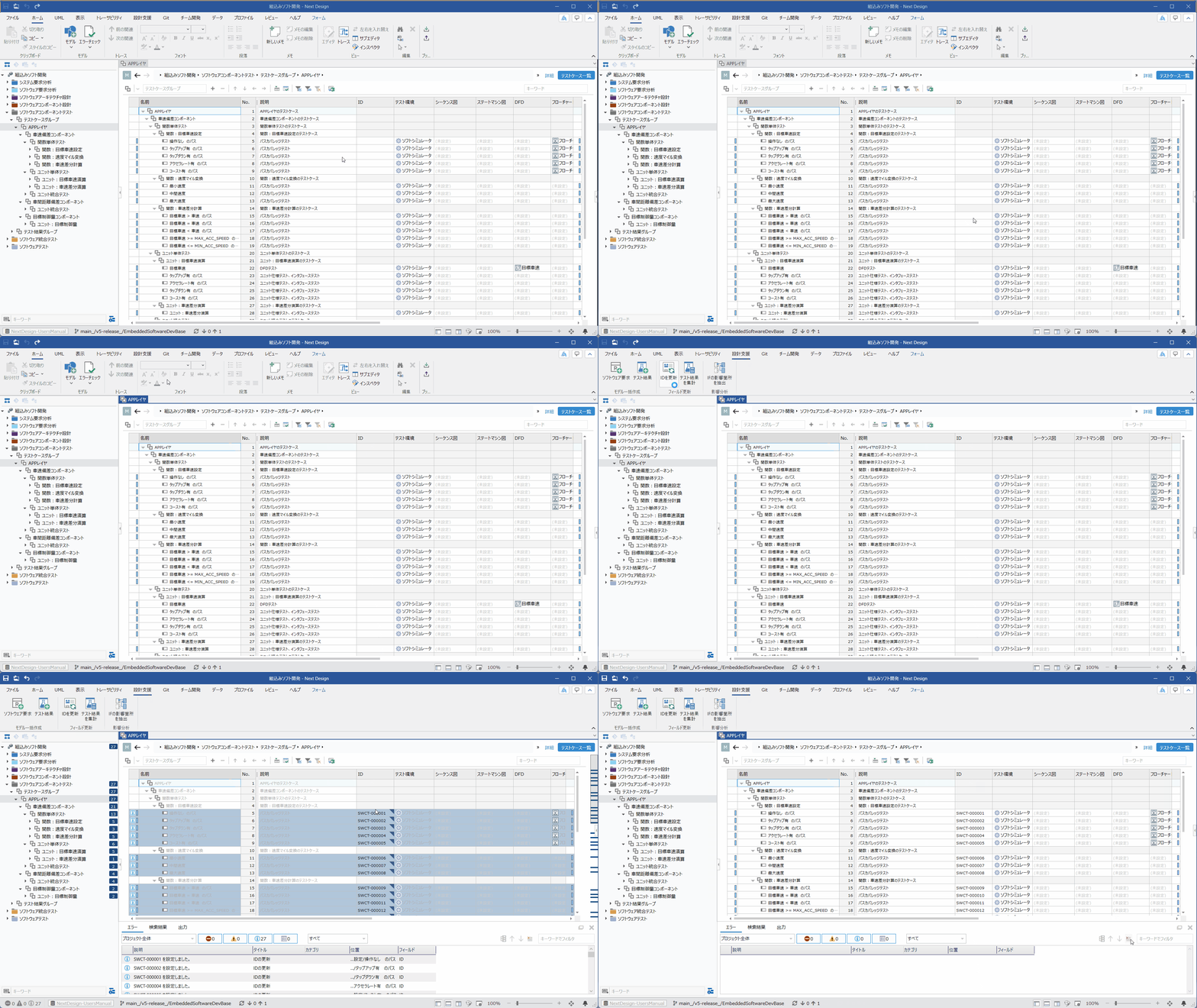 | Ⓜ Main Editor • Model: [TestCaseGroup] • View: [TestCase List] Ⓢ Sub Editor • None | By selecting [TestCaseGroup] or [Test case] and clicking the [Design Support] > [Field Update] > [Update ID] button on the ribbon tab, the extension function will sequentially renumber the [ID] of the [Test case]. If you select a group and execute this, all [Test cases] under that group will be targeted. |